Review and merge
A change set in review needs the approvals its requirements name before it can merge; merging creates the next revision and, with a rollout, takes it to the agents. This page covers reviewing, rebasing, merging and closing; the change set's tabs up to validation are in Change sets.
1. Requirements and why they apply
Submitting computes the requirements from the approval policies, the impact set and the owners of the changed files (ApprovalPolicy). The Review tab lists them ①: one per owner team, with the reasons it applies (the affected hosts and changed files the team owns), the rule behind it and who satisfied it.
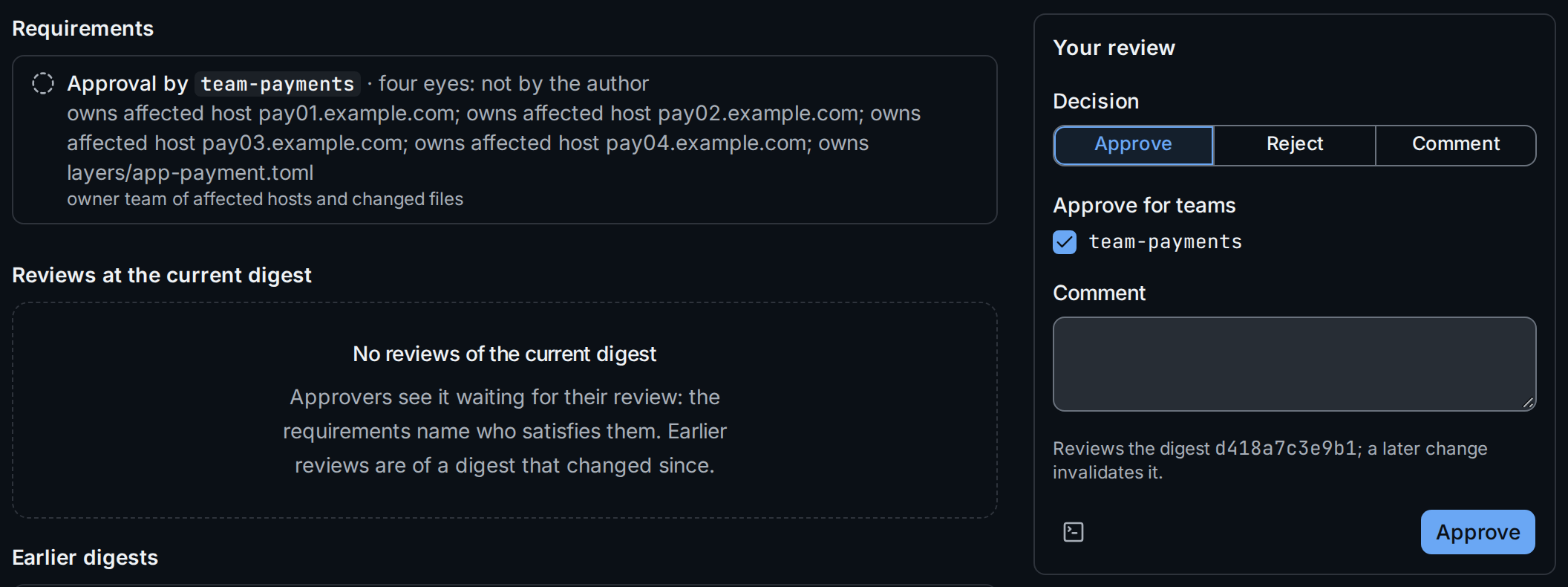
Here hosts with stage=prod are affected, so the author cannot approve
(four eyes), and team-payments has to approve as owner of the hosts and
of the changed file. A change set that matches no policy says so and
merges after validation without approval.
2. Review
The change set waits under Waiting for my review for everyone who can satisfy one of its open requirements. Reviewing needs the approver role; service accounts cannot review (Authorization).
- Choose the decision ②: Approve, Reject or Comment. The author is offered only Reject and Comment.
- For an approval, tick the teams it counts for ③. The form offers the teams of the requirements you may approve for and ticks those still waiting. An approval or reject has to count for at least one of them.
- Add a comment (required for Comment) and submit.
A reviewer's latest review at a digest replaces their earlier ones there. A current reject blocks the merge until the reviewer reviews again.
With stratactl:
stratactl changeset review 418 approve -m "Looks right" --as team-payments
(change set commands).
Reviews at current and earlier digests
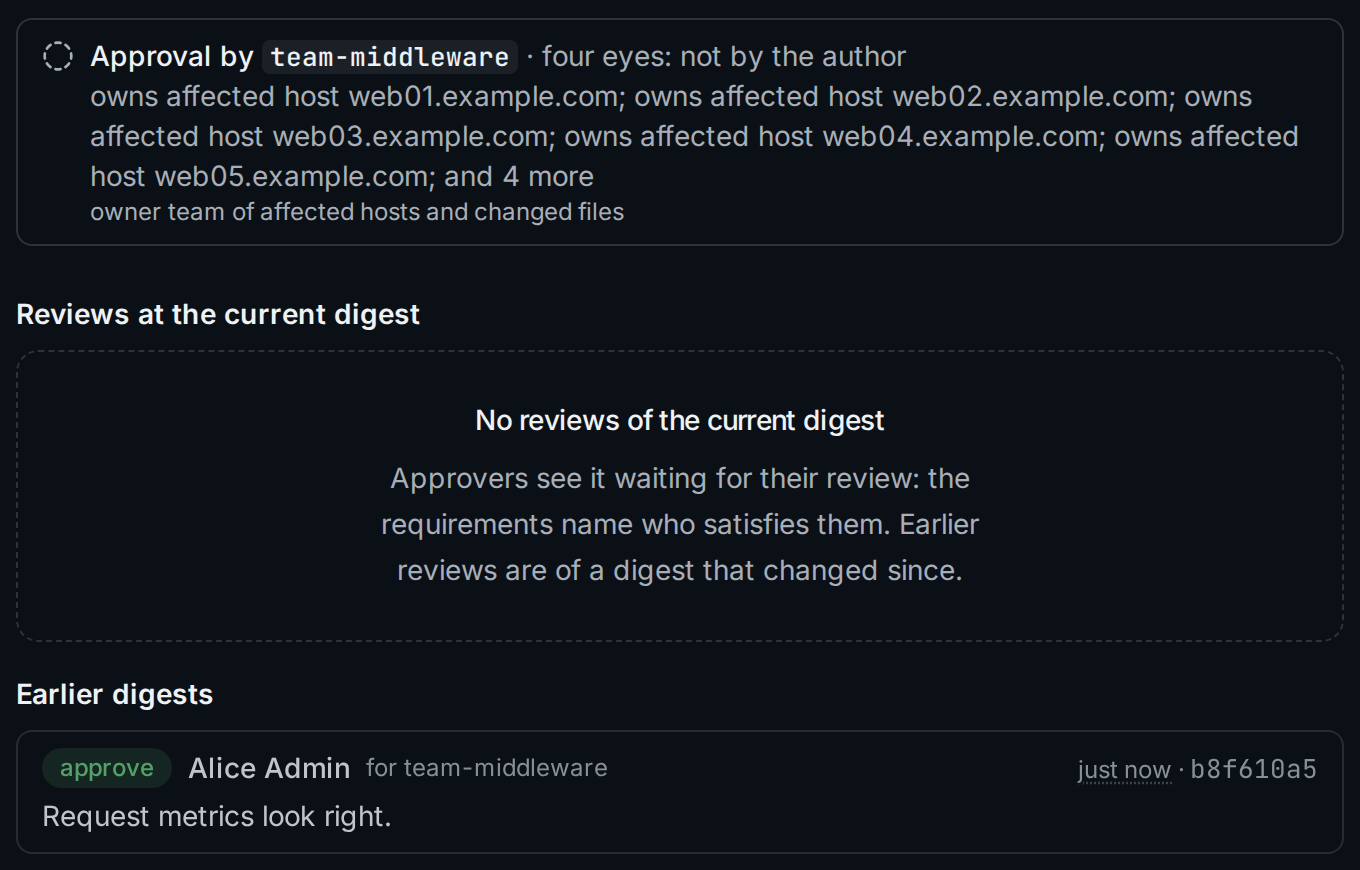
A review counts for the digest it was given on ④. A later edit, undo or rebase changes the digest, returns the change set to draft and leaves its requirements open again; the author validates and submits it once more, and the earlier reviews move under Earlier digests:
3. Rebase onto the latest revision
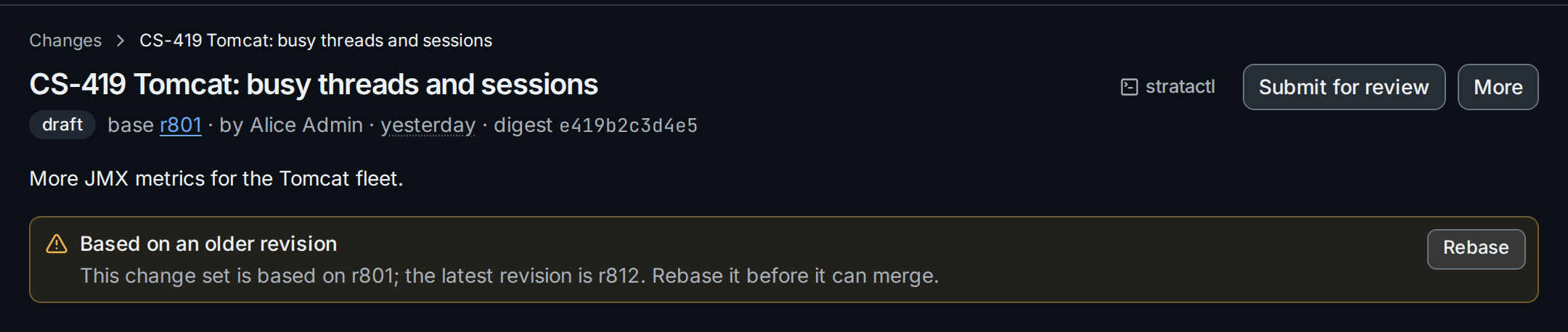
Merging needs a base that is the latest revision. When another change set merged first, the change set shows its older base ① and a banner with Rebase ②:
The dialog says what the rebase does:
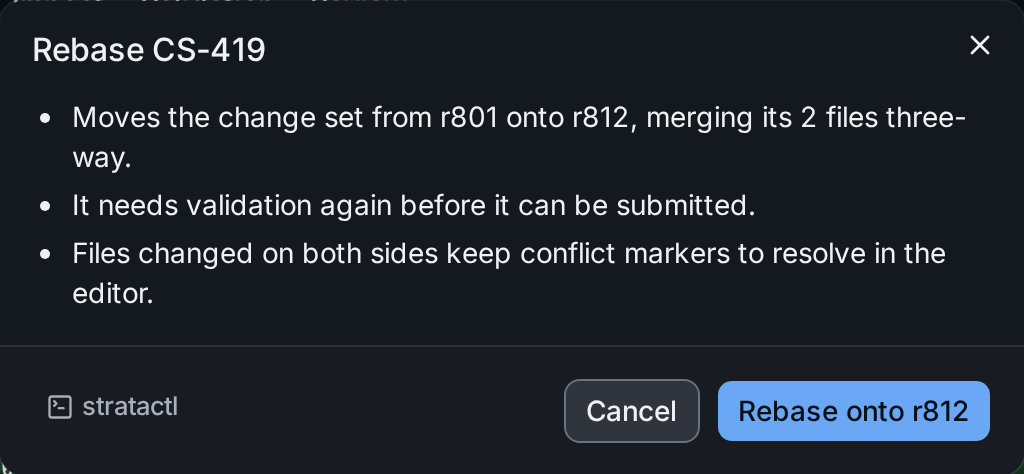
The rebase merges each file three-way. A change set in review returns to
draft and needs validation and review of the new digest
(change_set_state). Files
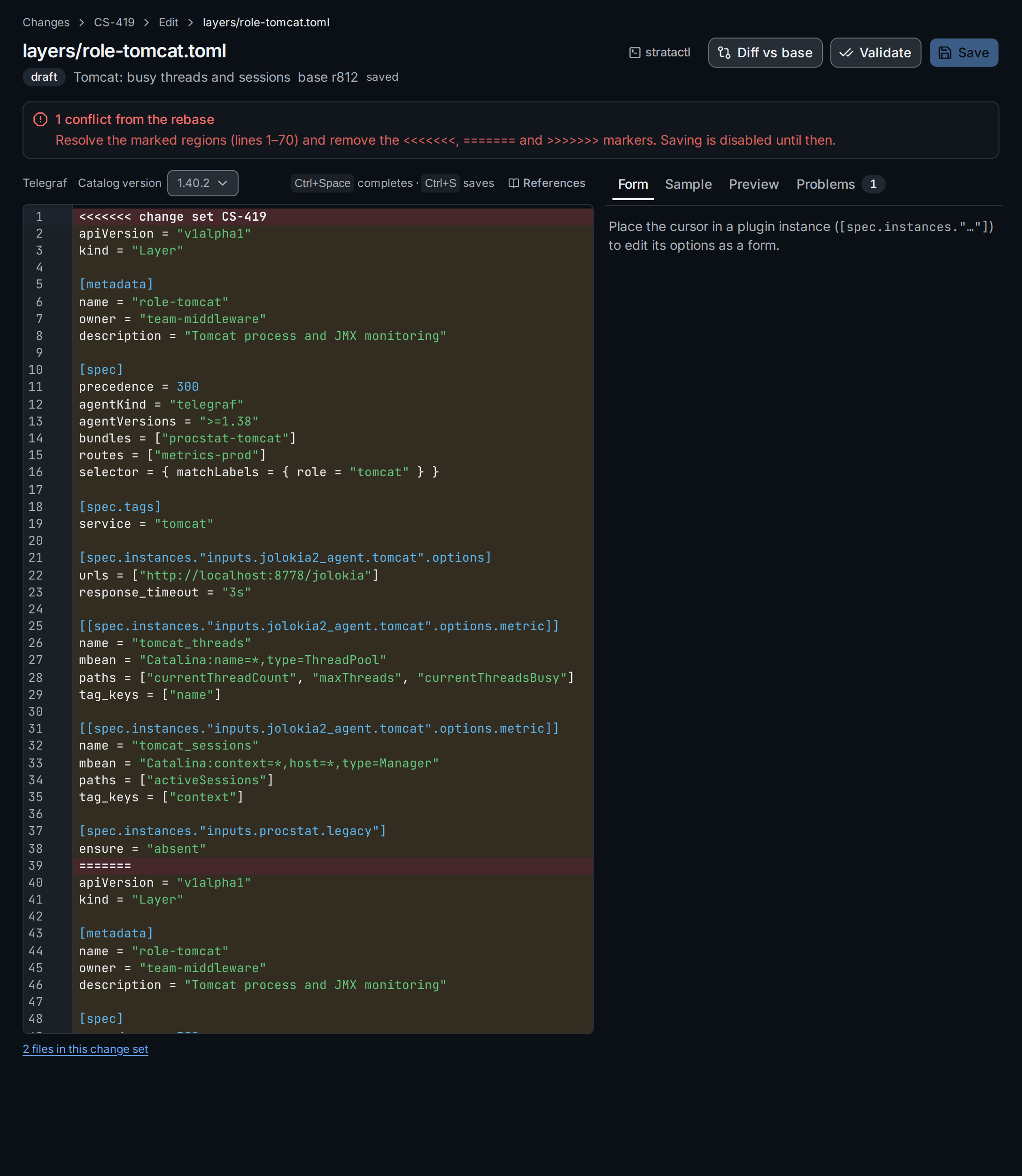
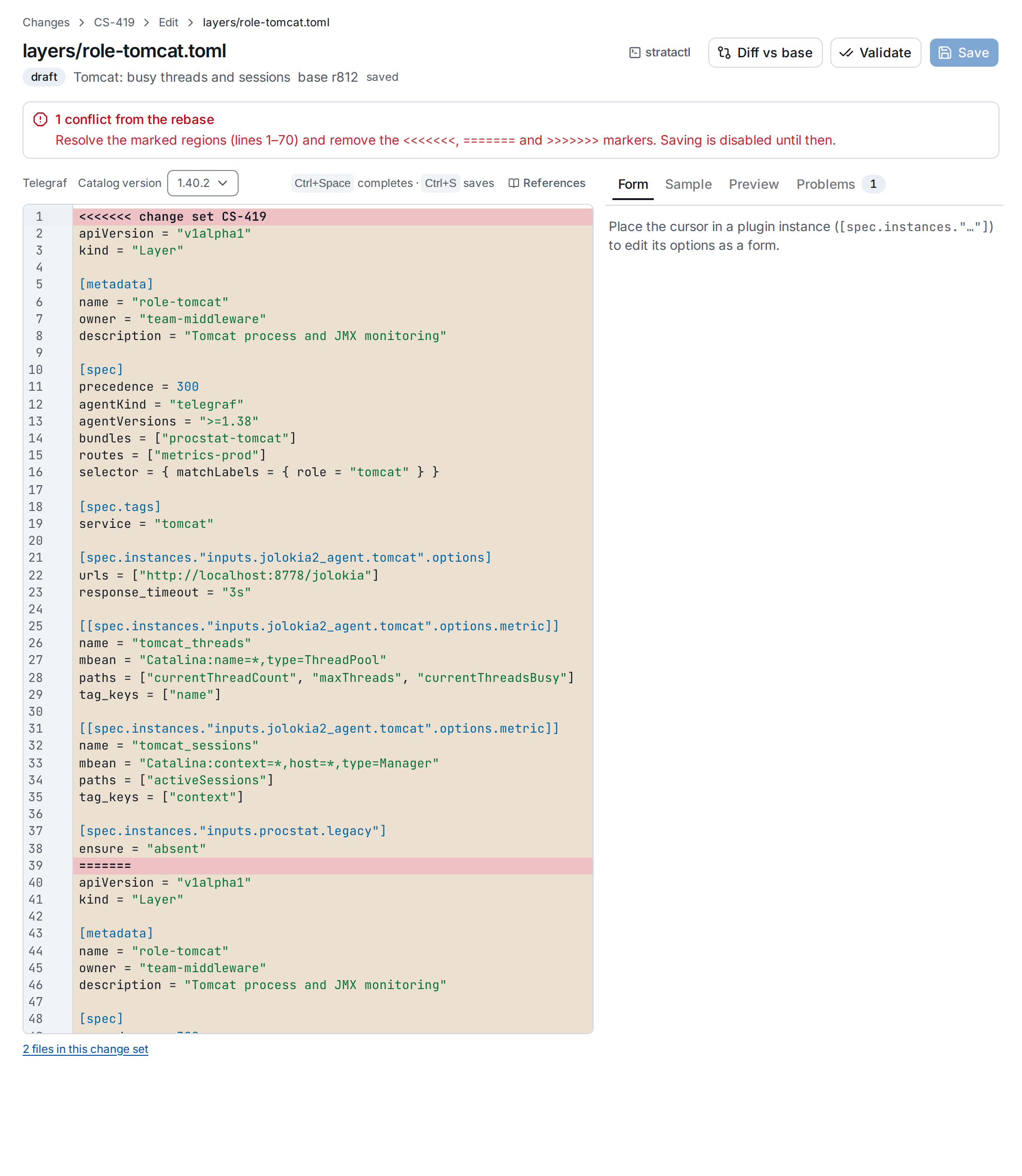
changed on both sides are conflicts: the page lists them ① for as long as
they hold conflict markers, and the file carries a conflict badge on the
Files tab.


The link opens the file in the editor. The file holds both whole
versions: yours after <<<<<<< change set CS-419 ②, the latest
revision's after ======= ③, up to >>>>>>> r812; saving stays disabled
until no marker is left ①.
Keep what each side needs, remove the markers, save, then validate and
submit again. In a working copy, stratactl rebase does the same and
leaves the conflicts marked in the files
(working copy).
4. Merge
Merge appears on an approved change set for authors. It creates the next revision from the reviewed tree; the dialog shows, per affected agent kind, the rollout the merge would start ①:
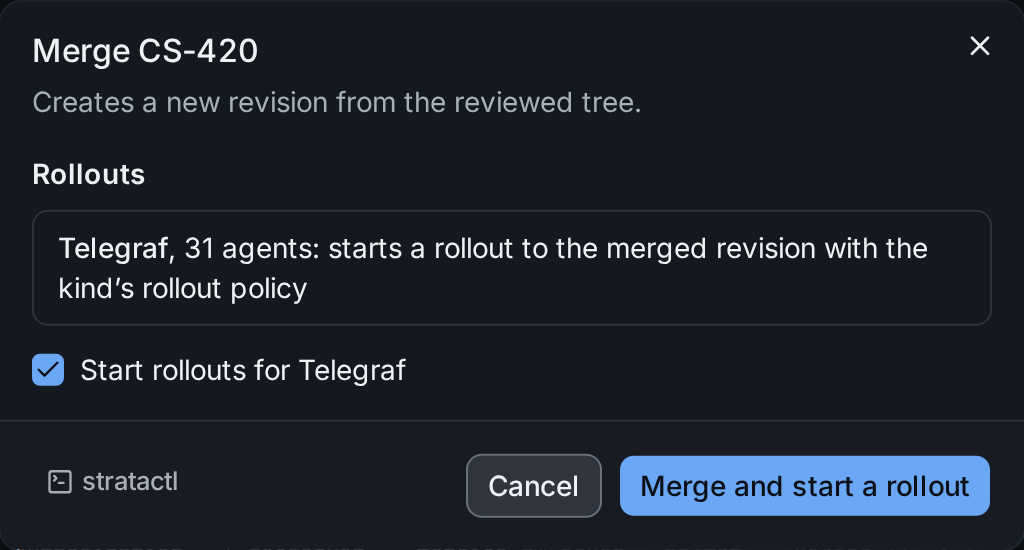
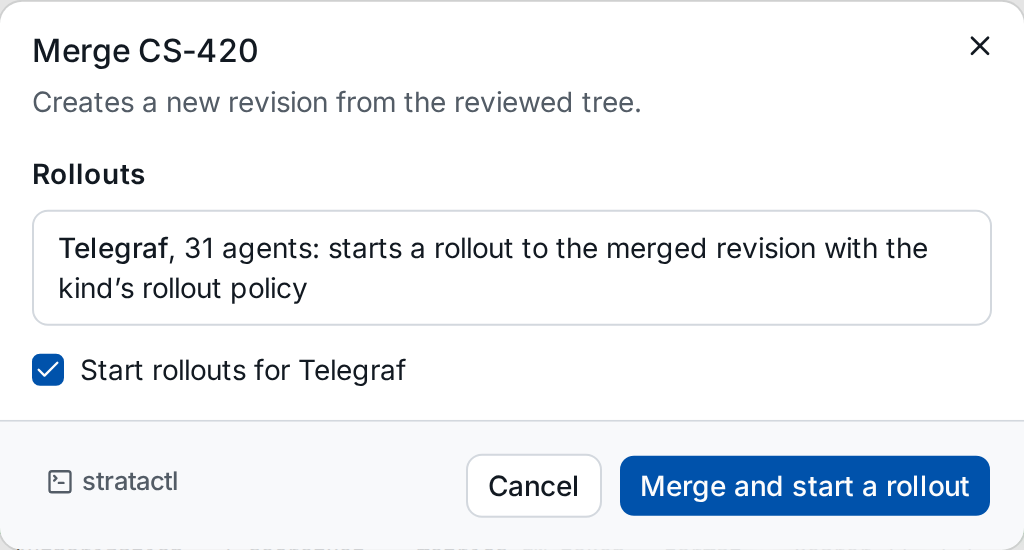
With the box ② ticked, the merge starts a rollout with the kind's rollout policy; untick it to start one later. Only one rollout runs per agent kind (change and rollout flow). When one is already running, the merge starts none for that kind and the new revision rolls out with a later rollout, together with whatever else merged meanwhile:
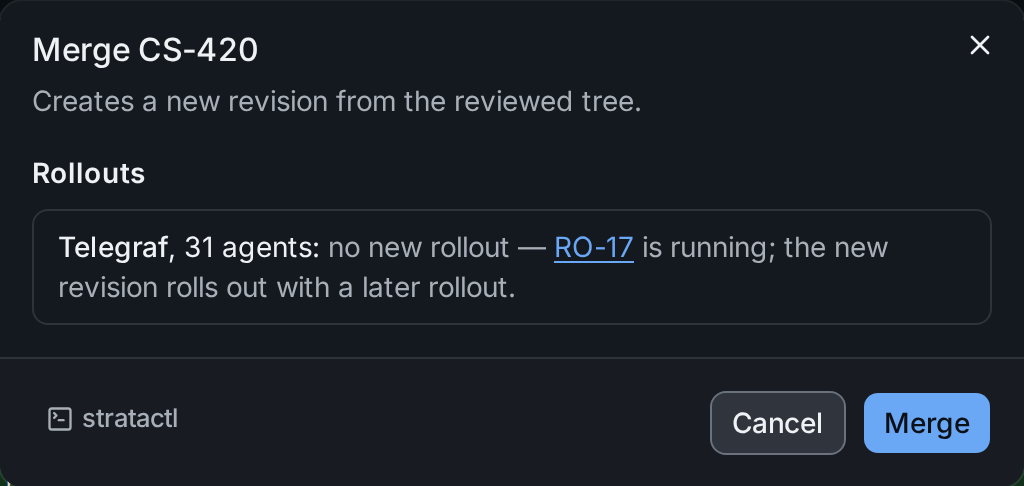
The merge recomputes impact and requirements against the current inventory. If the approvals no longer satisfy them, it fails and the change set stays in review. Afterwards the header names the merged revision and the rollouts delivering it; follow them on Rollouts.
stratactl changeset merge 420 --rollout merges and starts the rollouts.
Service accounts can merge, so a pipeline can merge what people approved
(CI).
5. Close
Close without merging in the More menu (for the author and admins) ends a change set that will not be merged. The confirmation lists what that means:
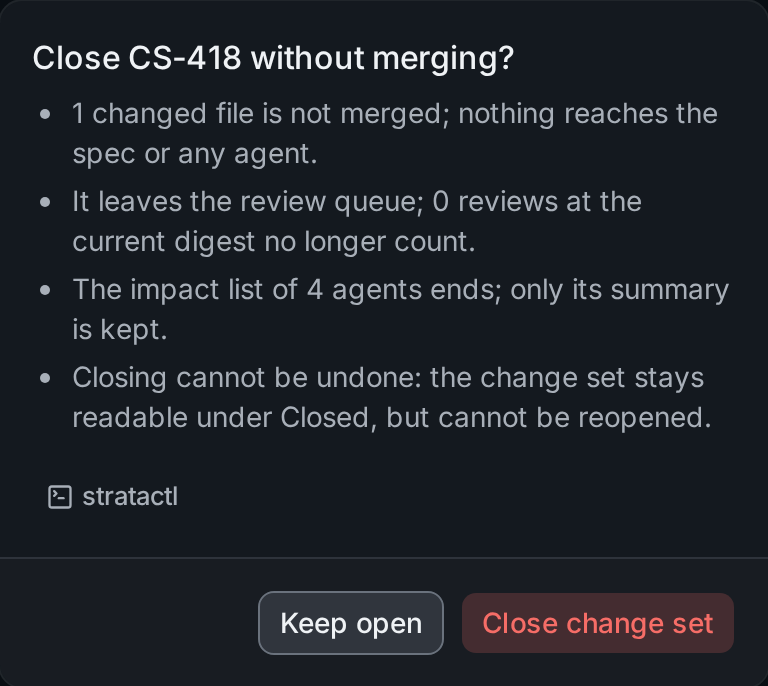
A closed change set stays readable under Closed but cannot be
reopened. stratactl changeset close 418 does the same.