Catalog
The catalog holds what Strataplane knows about each agent version: its plugins with their schema, options, sample configuration and documentation, the parser modules and the validator. Validation checks every rendered config against the catalog of the agent's version (validation levels), and the editor completes option names and shows their documentation from it. Nothing is fetched at runtime: each version arrives as a signed catalog bundle (Catalog bundles).
1. See which versions the catalog covers
The Catalog page lists the imported bundles per agent kind and version:
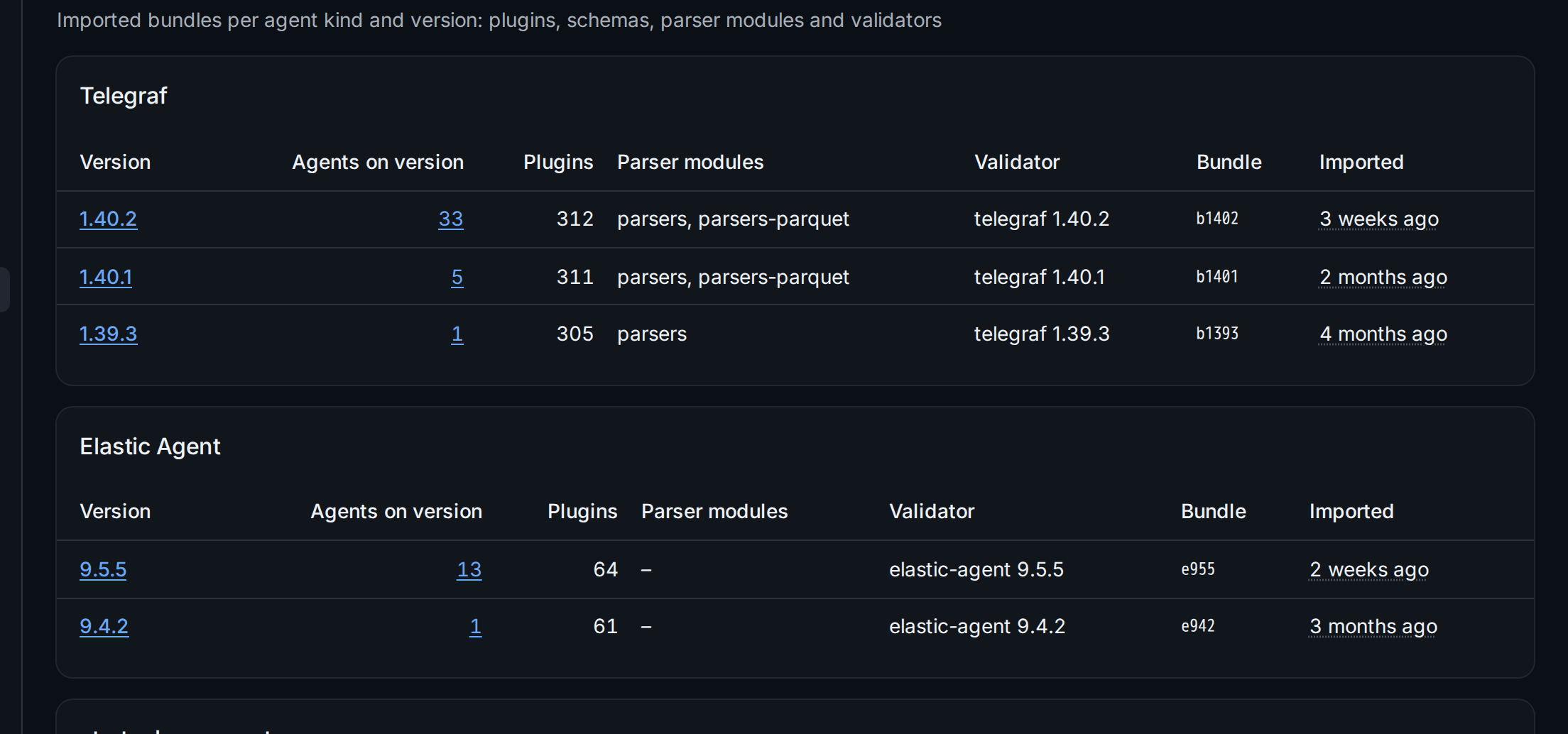
Agents on version ② counts the tenant's agents that run each version
and links to them in the agents list. An agent whose version has no bundle
is checked against the nearest older one and flagged with
catalog_mismatch; the version distribution on the Overview page shows
the same comparison. The parser modules ③ are what the editor's sample
parser and the assistant's telegraf-parse run, the validator ④ is the
stock binary that checks a rendered config.
2. Look up a plugin
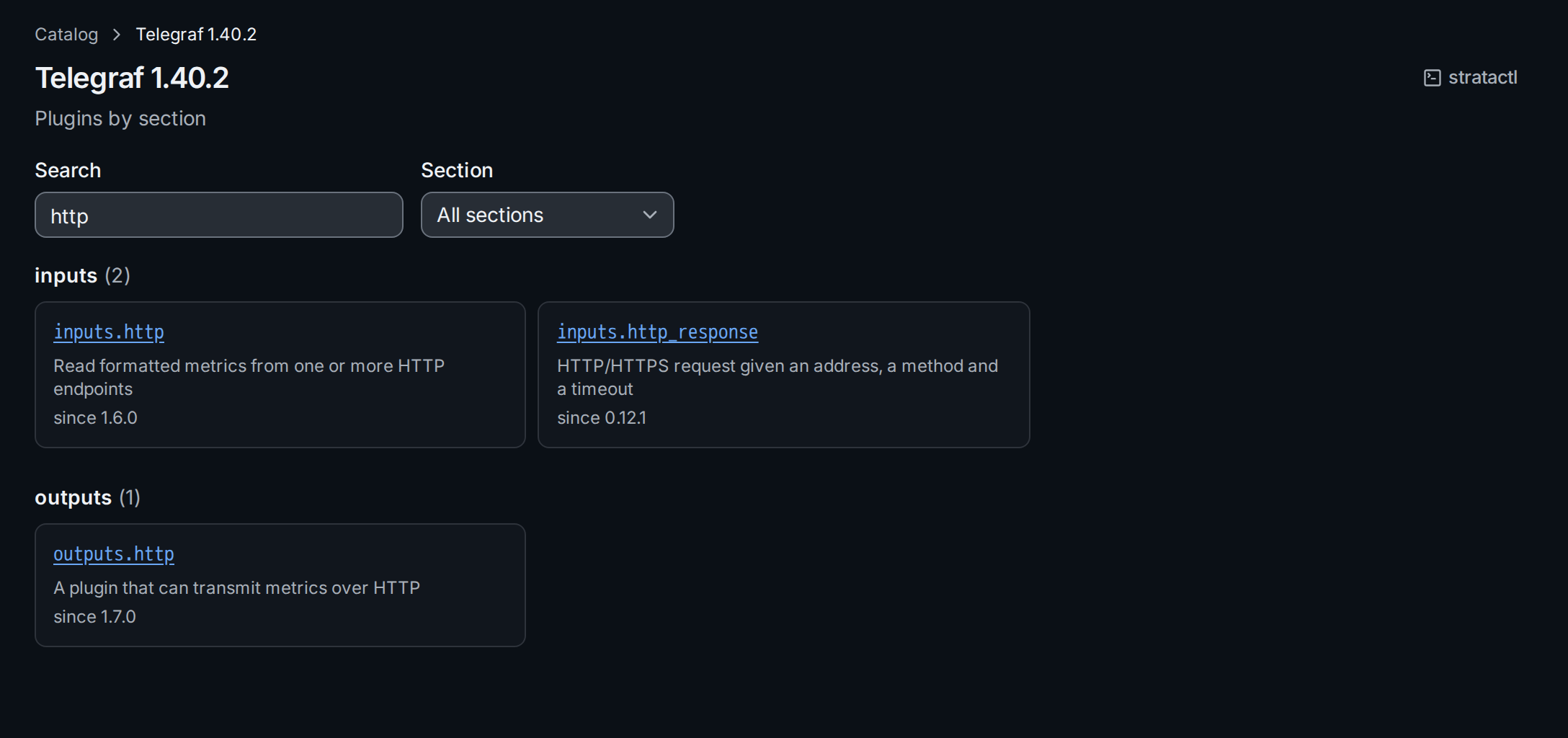
Open a version ① to list its plugins by section. Search narrows the list, Section shows one section:
A plugin's page ② shows what its configuration takes in this version:
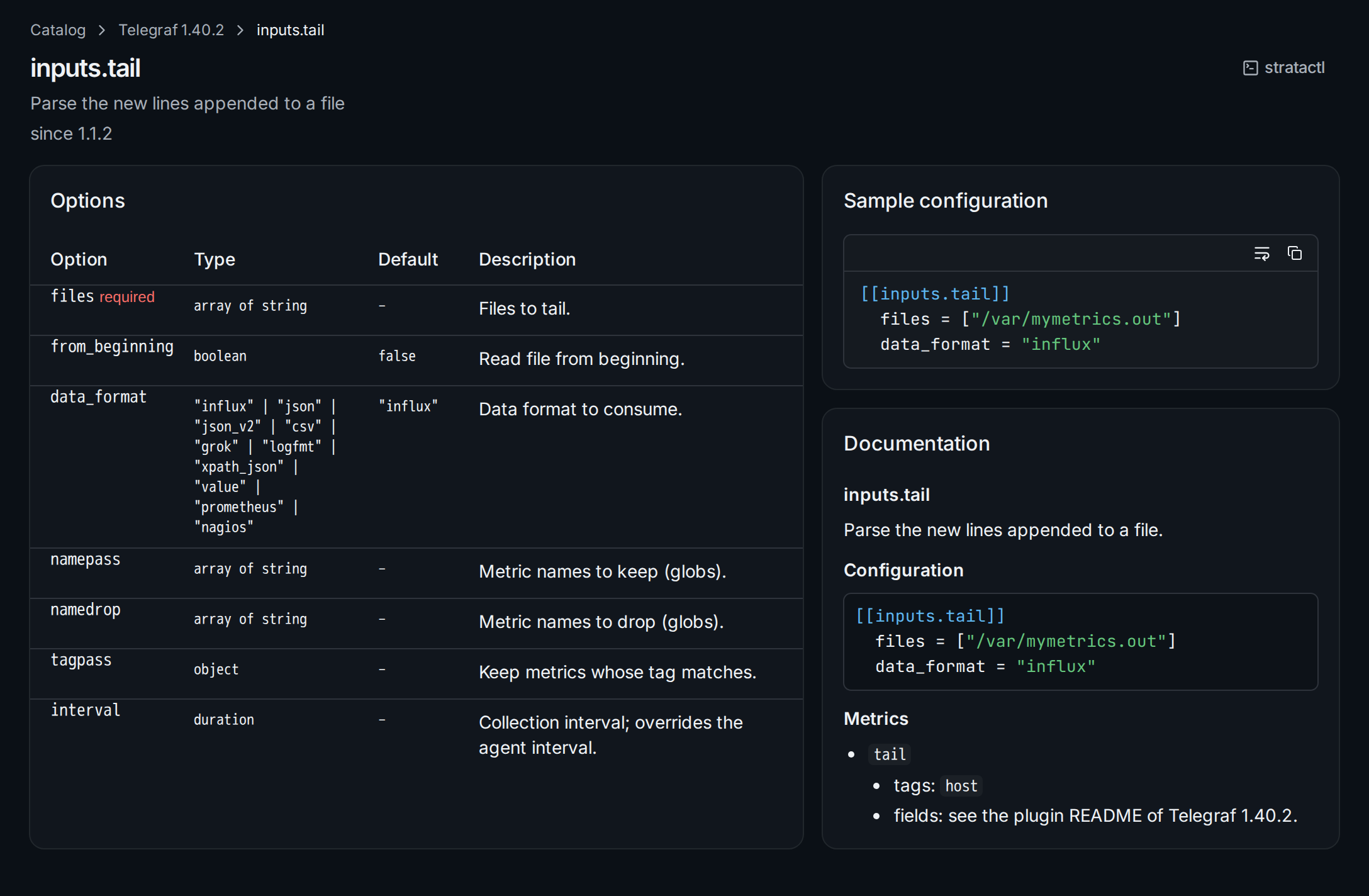
- Options ① lists each option with its type, default and description;
required options are marked. An option that takes one of a fixed set of
values, such as
data_format, lists the values as its type. - Sample configuration ② is the plugin's sample from the bundle.
- Documentation ③ is the plugin's README.
The same lookups are stratactl catalog search QUERY [--kind K] [--version V]
and stratactl catalog show KIND SECTION.PLUGIN [--version V]
(Journeys and tools).
3. Import a bundle
Bundles serve every tenant of the installation, so importing one is a task for a platform admin. In a self-hosted installation a platform admin imports bundles on the Catalog page itself:
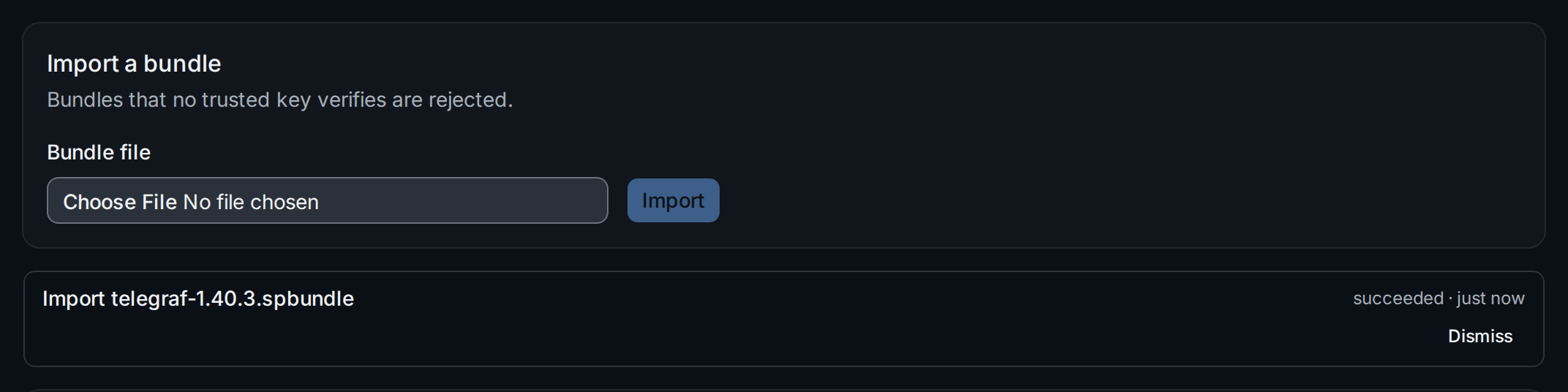
Choose the .spbundle file ① and Import. The import runs in the
background and shows its progress and result ②; a bundle that no trusted
key verifies is rejected. Other users see the list only. In service mode
the import is on the platform pages
(Platform).
From the command line, a platform admin imports with
stratactl platform catalog import FILE
(Administration), or on the server
with strataplane catalog import FILE. Where bundles come from, how they
are verified and how to build one for a patched agent is described in
Catalog bundles.