Change sets
Every edit of the spec lives in a change set until it is merged: an overlay of changed files on a base revision, validated, reviewed and merged as the next revision (change and rollout flow). This page covers the Changes area up to validation; reviewing, rebasing, merging and closing are in Review and merge. For one change taken from edit to rollout, follow the first change tutorial.
1. Find a change set
Changes lists change sets on five tabs ①. Waiting for my review holds the change sets in review that need an approval you can give; the number next to Changes in the navigation counts them. Mine lists your drafts and submitted change sets, Open everything in draft or in review, Merged and Closed the rest.
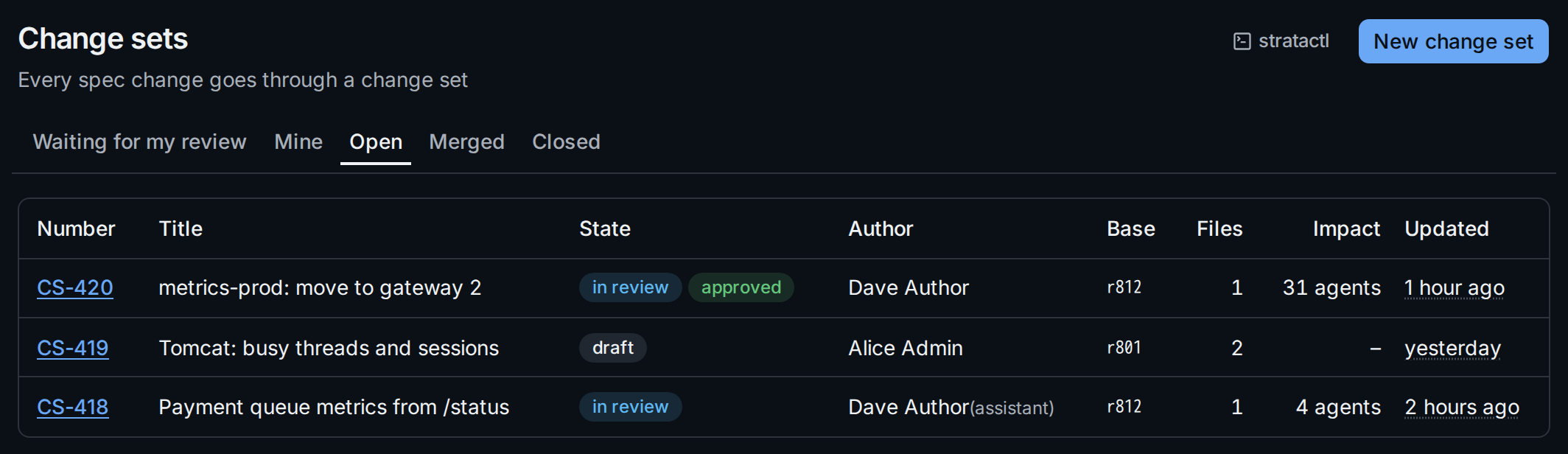
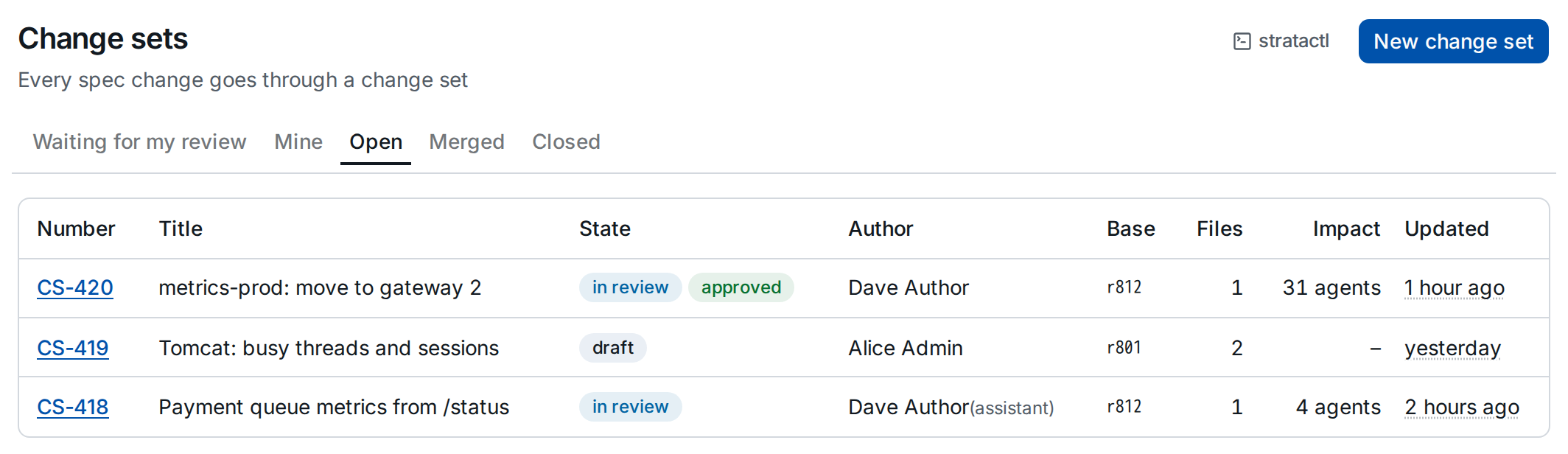
The list shows each change set's state, the base revision (for a merged
one, the revision it became), the number of changed files and the agents
its last validation found affected. The same lists come from
stratactl changeset list --needs-review, --mine or --state S
(change set commands).
Most change sets start from a spec file's Edit, which opens the file in a draft (Editor). New change set ② creates an empty draft with a title and a description; add files to it on its Files tab (§3).
2. Read the header
- State ①: draft, in review, merged or closed
(
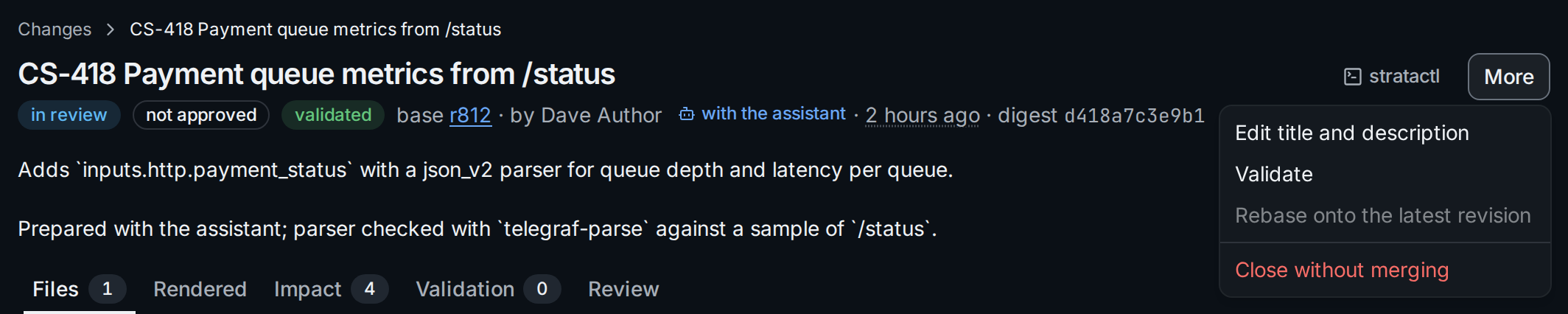
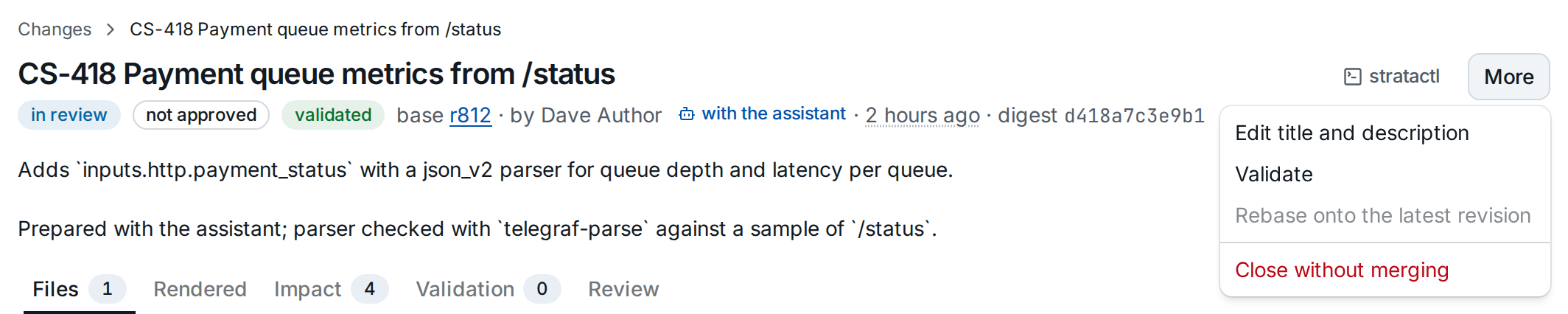
change_set_state). A change set in review is approved or not approved; approved is not a state but follows from the reviews of the current digest. validated means the current digest passed validation. - Base ② is the revision the overlay applies to. When it is no longer the latest revision, a banner asks for a rebase (Review and merge).
- The author follows; a change set prepared with the assistant links its chat (with the assistant).
- Digest ③ identifies the exact content: validation and approvals count for the digest they were given on. Hover it for the full value.
- More ④ offers Edit title and description (to the author and admins), Validate, Rebase onto the latest revision (enabled when the base is stale) and Close without merging. Submit for review and Merge are buttons of their own once they apply.
stratactl changeset show 418 prints the same: state, approved flag,
validation, impact, requirements and reviews.
A merged change set names the revision it became and the rollouts delivering it:


3. Files: the diff and its findings
The Files tab shows the diff of each changed file against the base, with the validation findings of the file: under the line they concern, or below the diff for a finding of the whole file. Schema findings (L2) are of the rendered configs, not of a file; the Validation tab lists them. This change set failed validation:
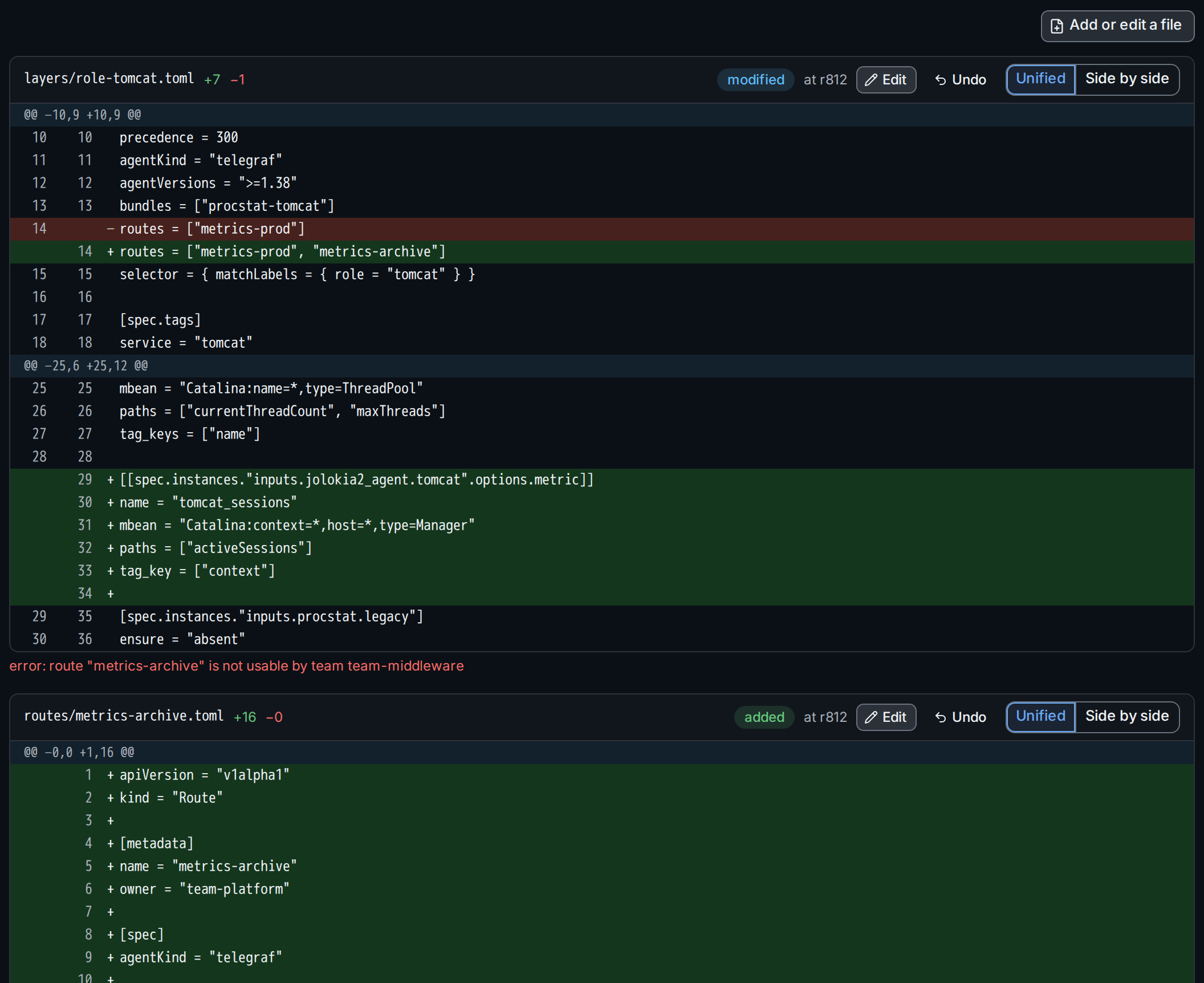
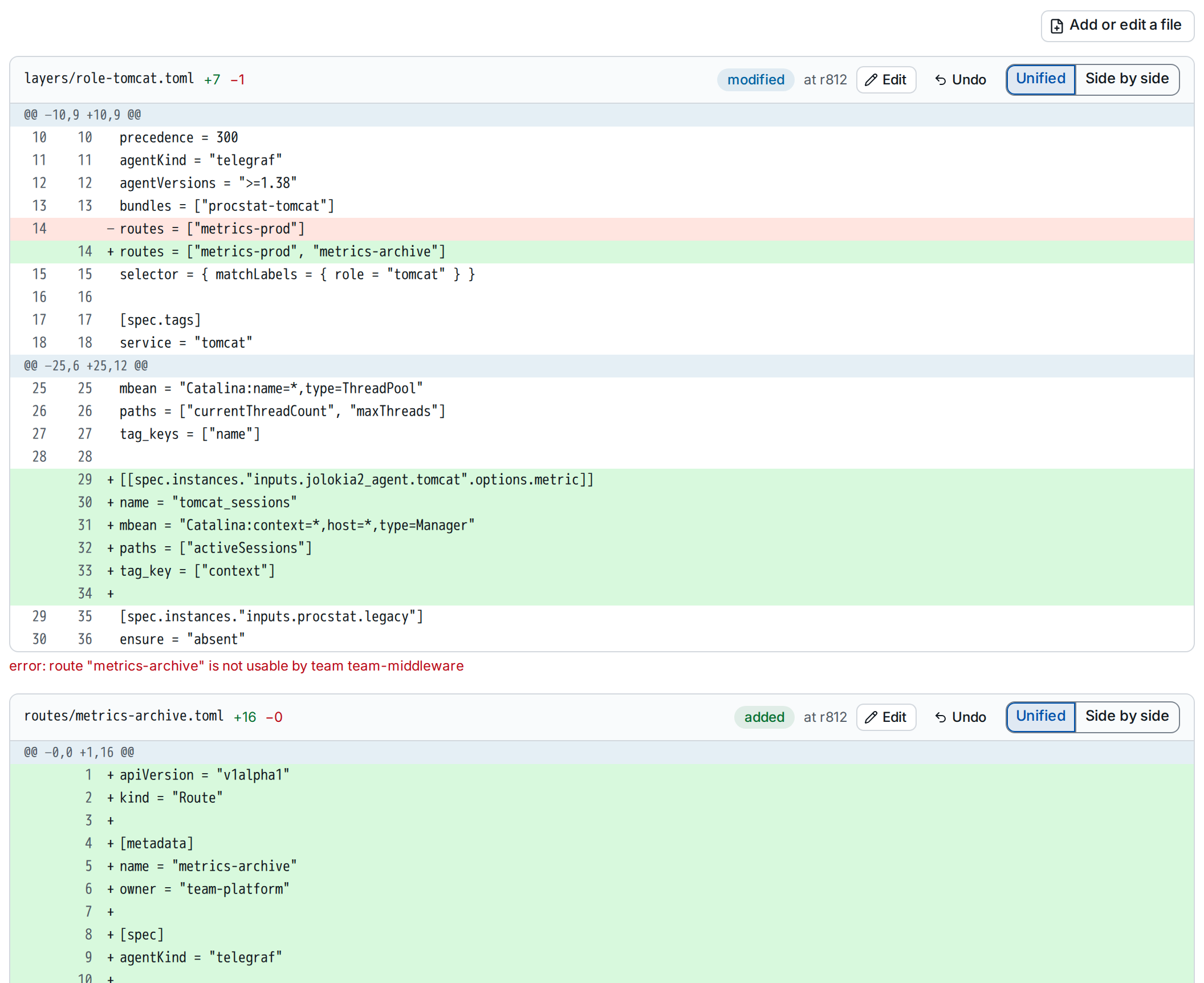
- Edit ② opens the file in the editor inside the change set; fix it there and save (Editor).
- Undo ② takes the file out of the change set: a modified or deleted file goes back to its content at the base revision, an added file is removed. The dialog states what is lost.
- Add or edit a file opens a file of the base revision in the editor, or starts a new one from its kind's template:
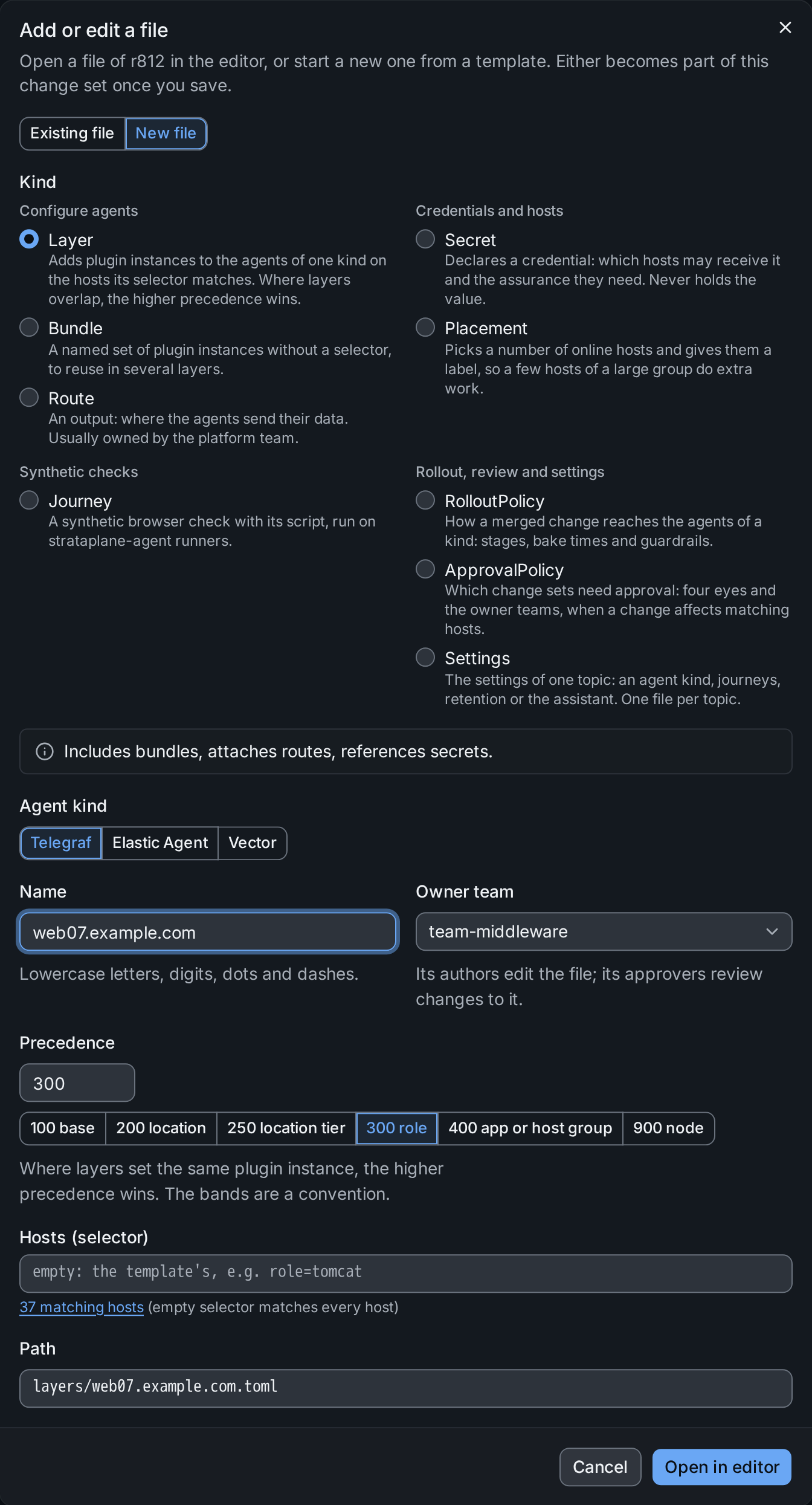
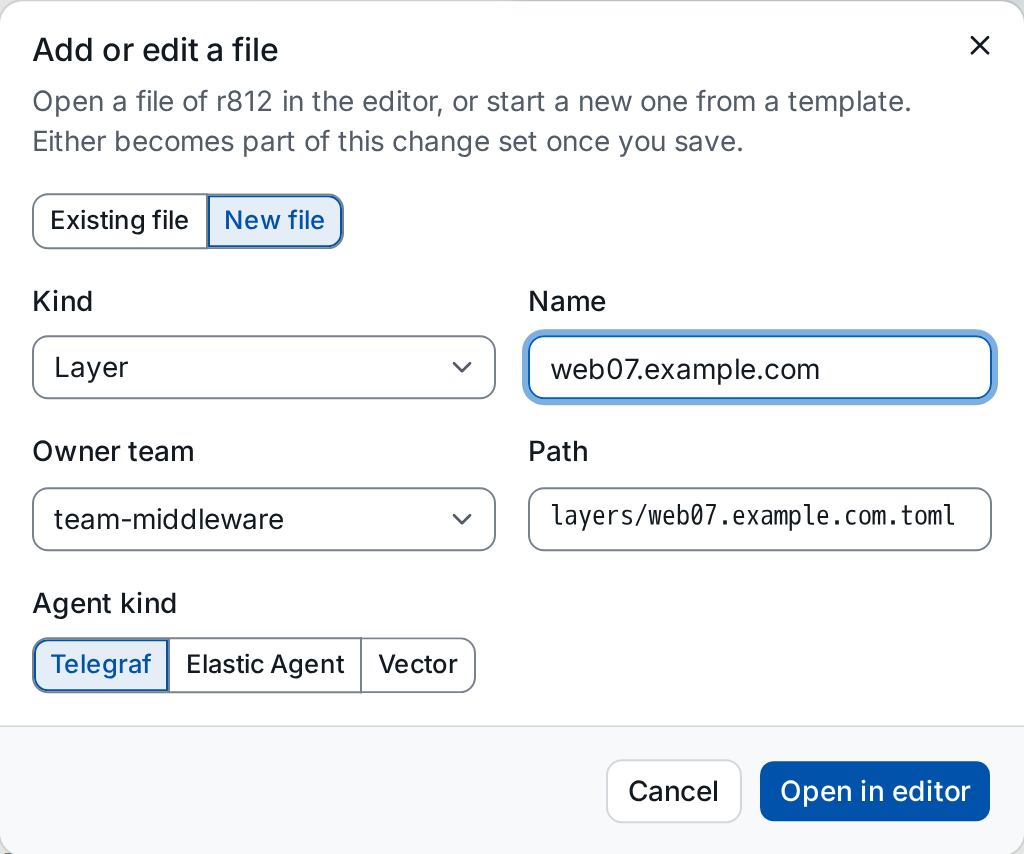
Every save changes the digest. A change set in review returns to draft, and validation and earlier approvals no longer count for it.
4. Rendered: what the agents receive
The Rendered tab shows the diff of the rendered config for one sample agent per distinct diff, and how many agents have the same diff ①. Secrets appear as references, never as values.
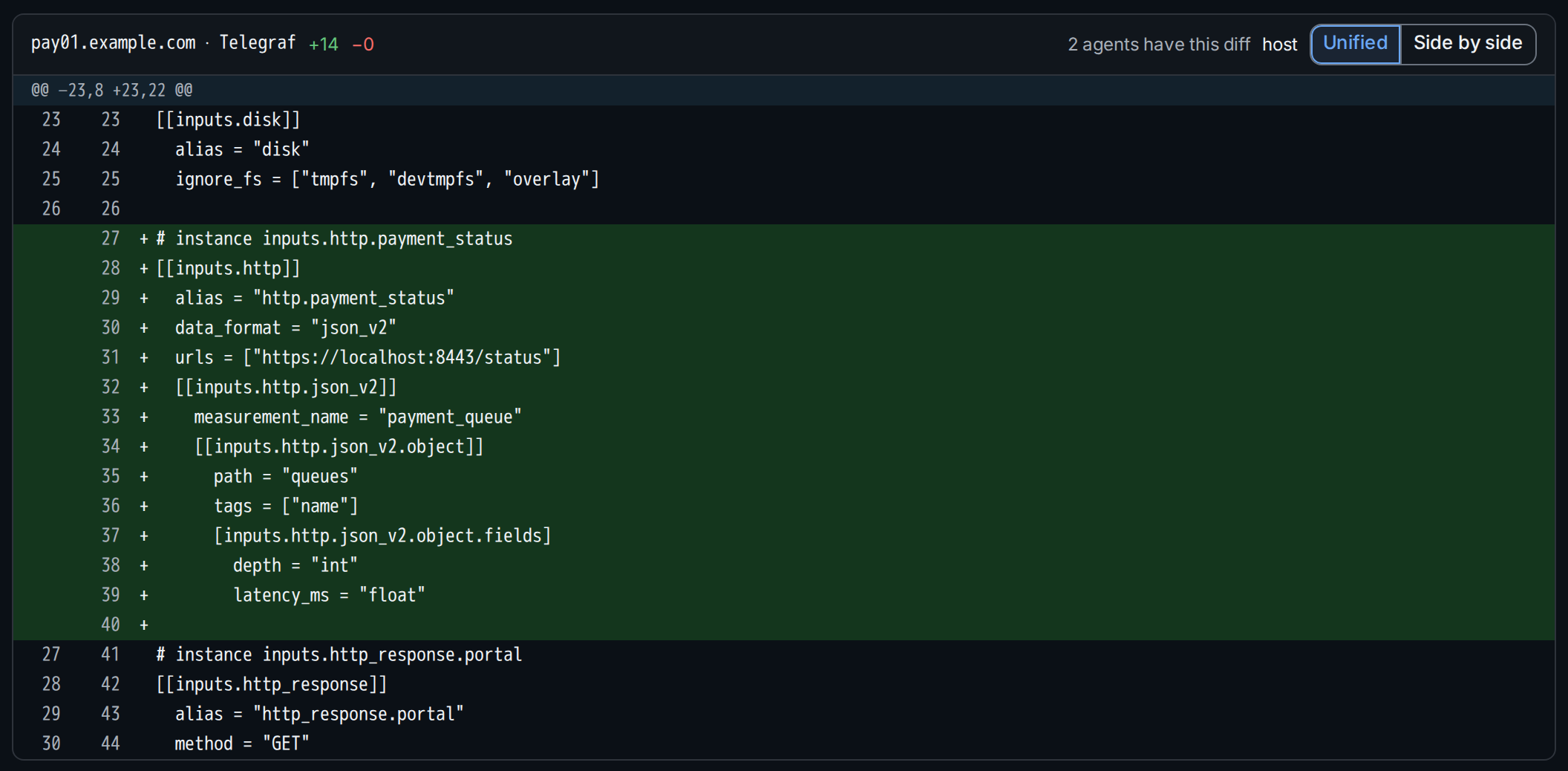
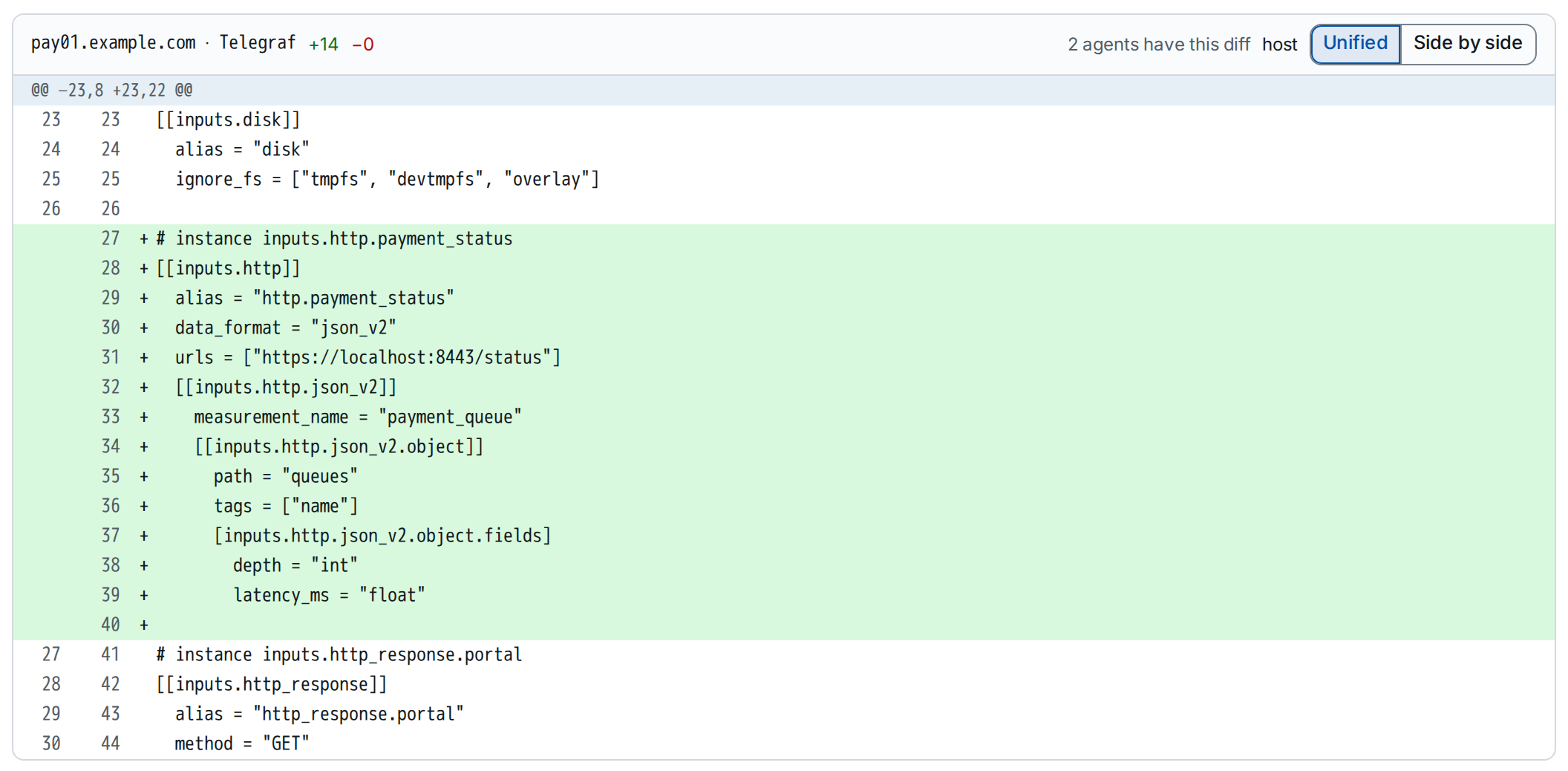
To see the rendered config of any agent while editing, use the editor's Preview (Editor).
5. Impact: which agents change
The Impact tab lists the impact set: the agents whose rendered config the change set changes. Validation computes it; before the first validation the tab says it is not computed yet.
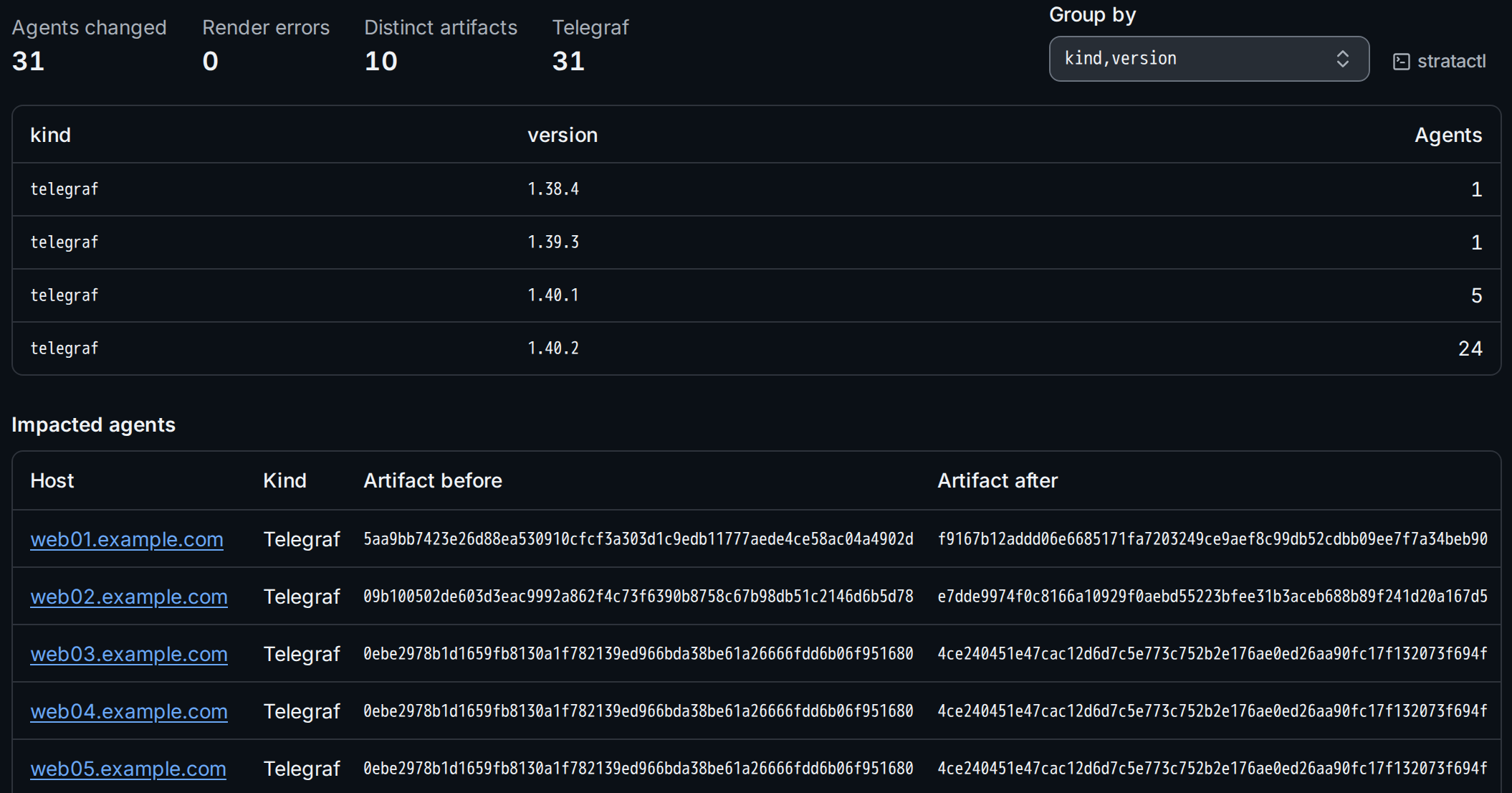
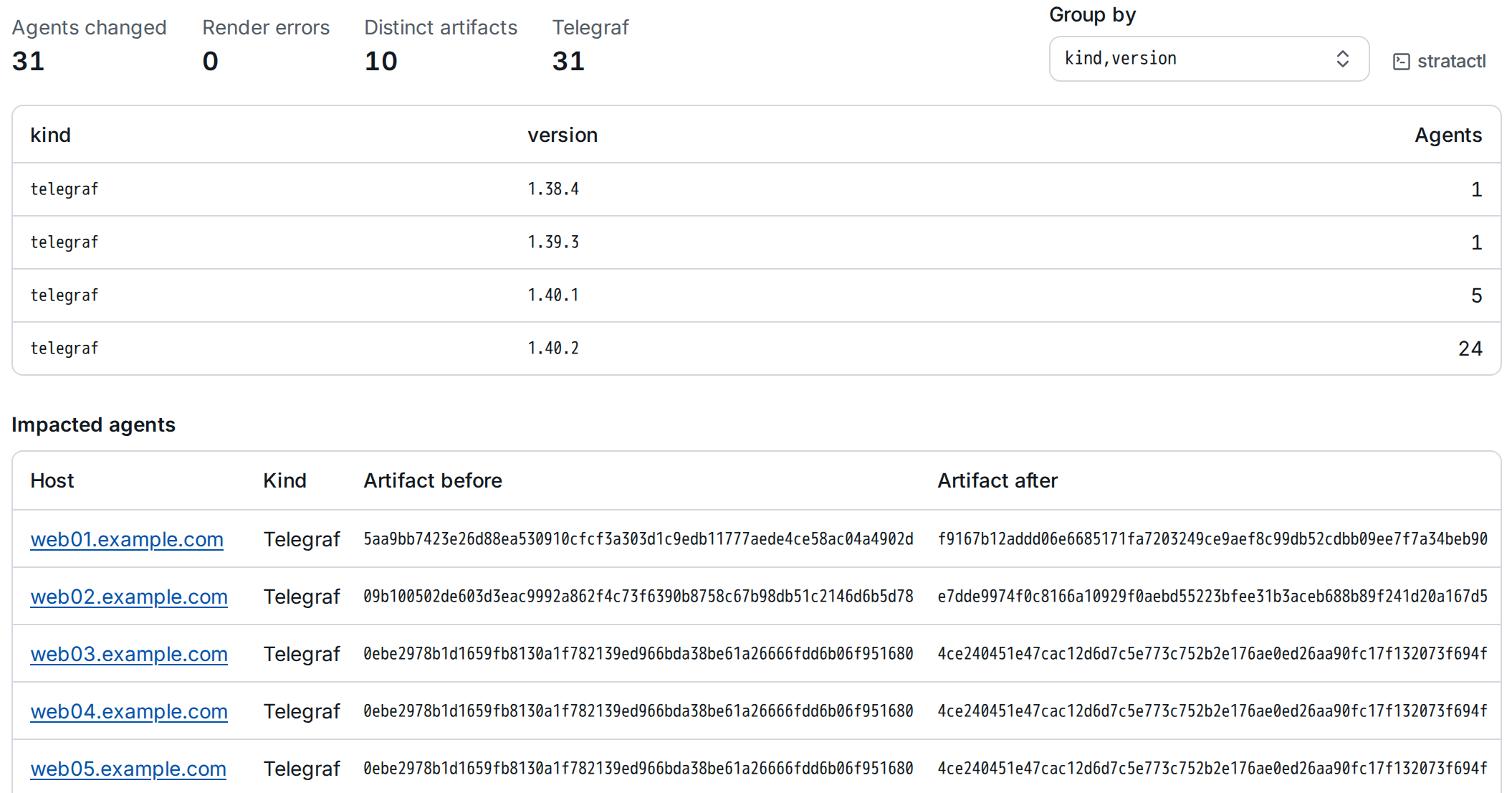
Render errors ① counts the agents whose config fails to render with
the change set. Group by ② takes owner, stage, kind, version or any label key,
comma-separated (owner,stage, zone); the list of impacted agents
shows each agent's artifact before and after. The impact set also decides
which approvals the change set needs
(ApprovalPolicy). Merged and
closed change sets keep only the summary of their last validation.
stratactl impact --by owner,stage gives the same grouping from a working
copy (preview commands).
6. Validation
Validate in the More menu, or Re-run validation on the Validation tab, checks the current digest at every level (validation levels). It runs in the background; the page shows its progress and updates when it finishes. The tab lists the findings by level, each with its file and line where it has them, the agent version it was found for and its code.
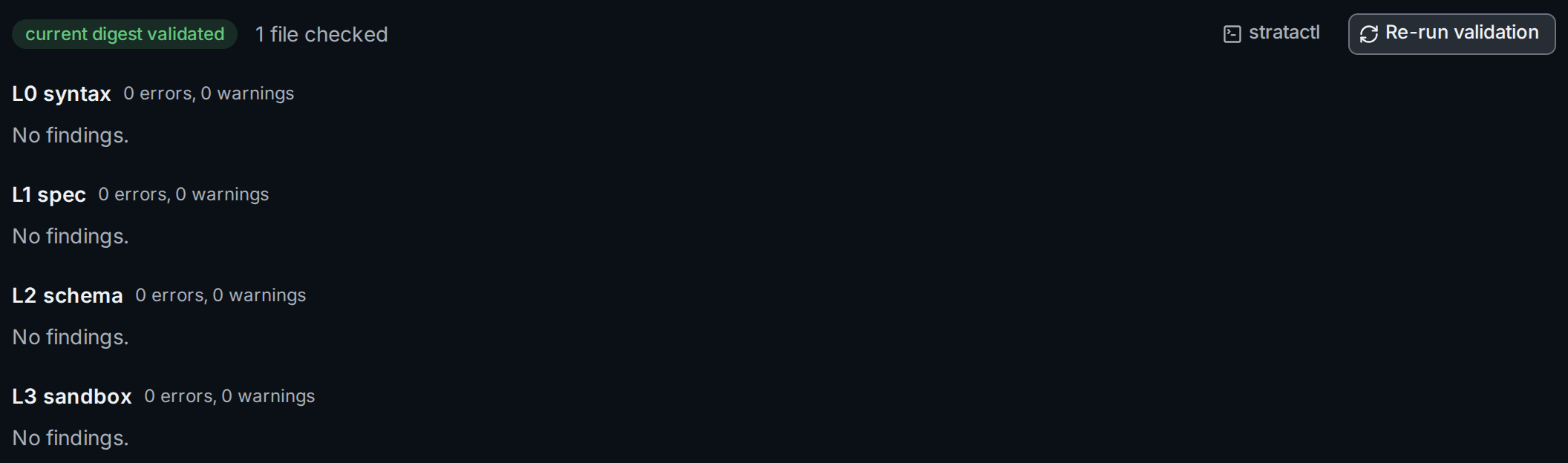
Schema and sandbox checks run once per distinct rendered artifact and agent version, so a finding can appear once for each version in the fleet:
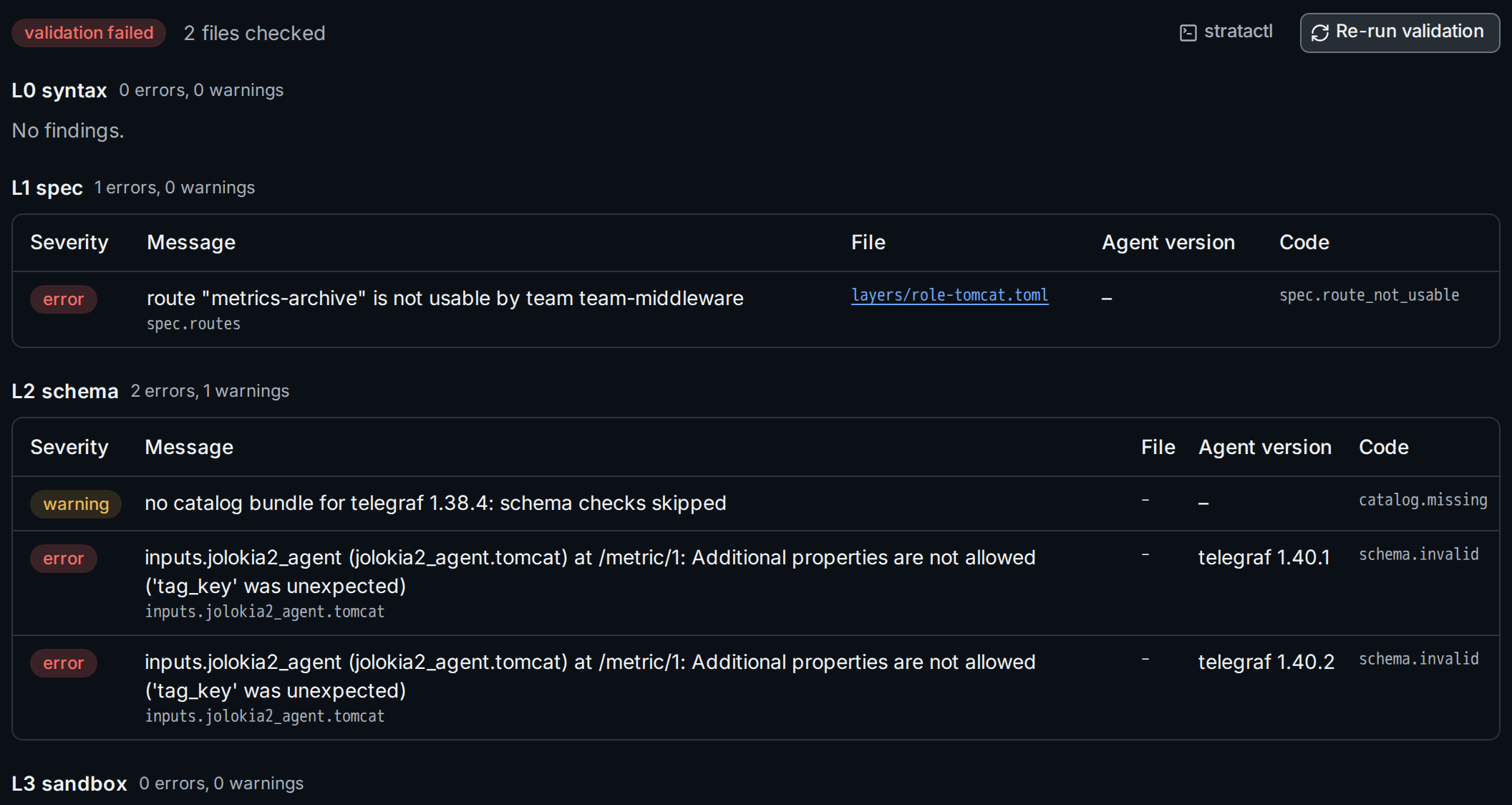
Errors block submitting: Submit for review needs a successful validation of the current digest. Warnings do not. Follow a file link ② to the file, fix it, save and validate again.
stratactl changeset validate 422 validates without submitting;
stratactl changeset submit -m MSG updates the change set from a working
copy, validates and submits in one step
(change set commands).
Next: review and merge.