Follow and steer a rollout
A rollout takes a new revision to the agents of one kind, stage by stage,
and halts when a guardrail is breached. Merging a change set starts one
for each agent kind it changes; this page shows how to follow it, what to
do when it halts and how to start one yourself. How stages take their
agents and what each state and action means is described in
RolloutPolicy and
rollout_state.
Following a rollout needs only viewer; pausing, resuming, advancing,
aborting and starting need operator over every host the rollout can
reach (Authorization).
1. Find the rollout
The Rollouts page lists the rollouts per agent kind, active ones and past ones. Kinds without agents or rollouts share a line at the end. Filter by State or Agent kind; both are part of the URL.
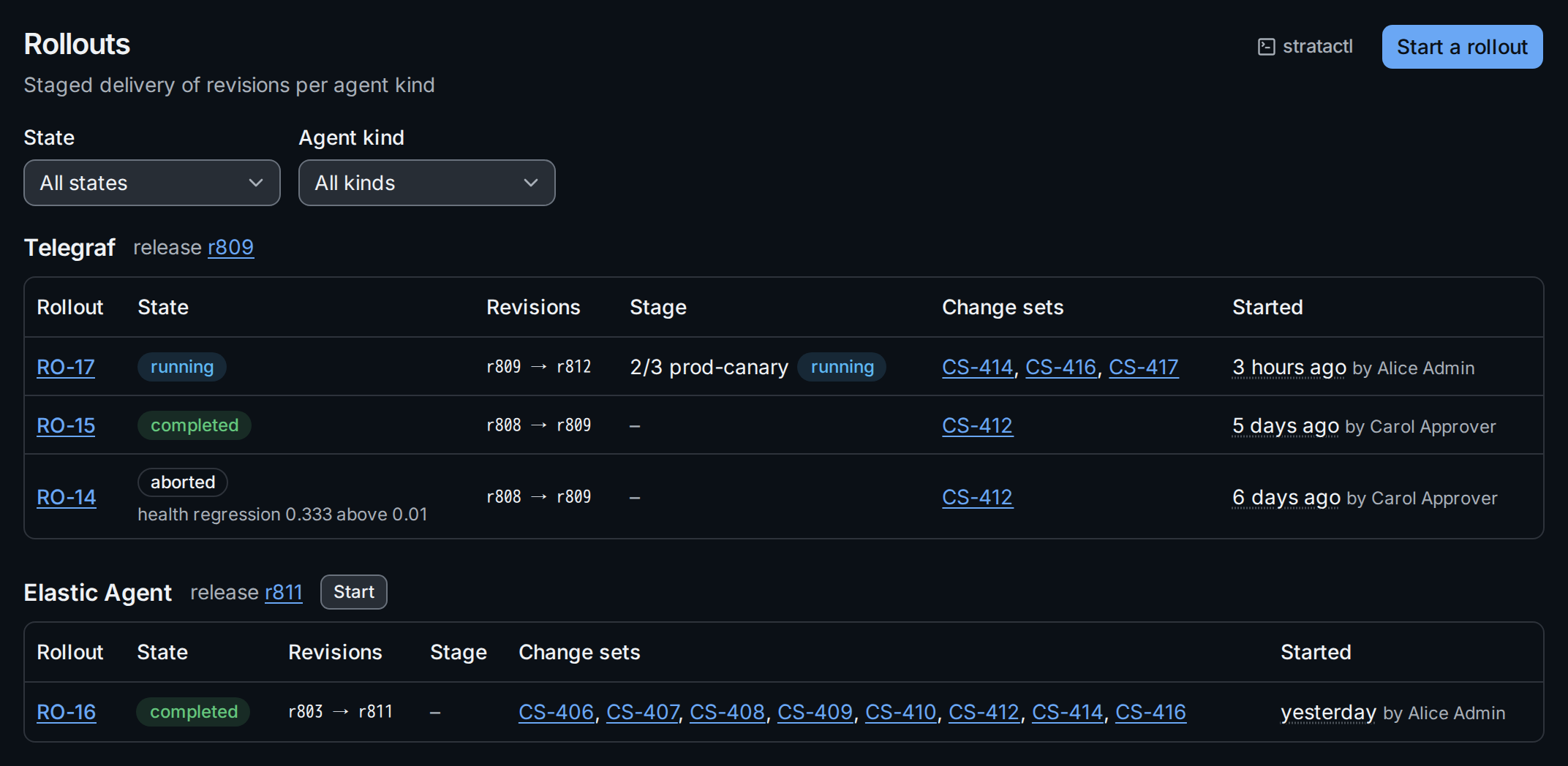
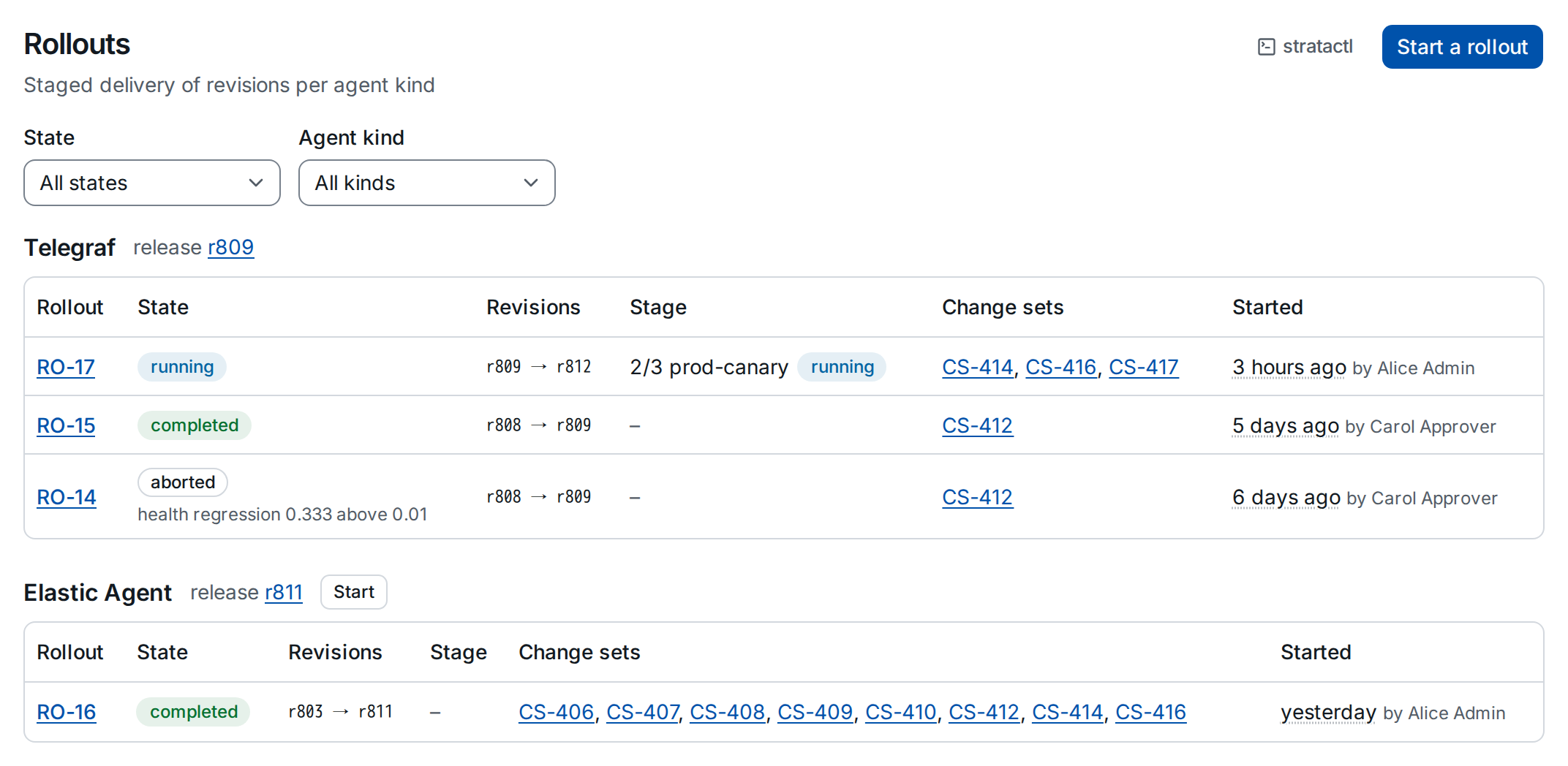
Next to each kind's name is its release ①, the revision agents outside any rollout or pin receive. Each row shows the rollout's state, the revisions it moves between, the stage it is in ② and the change sets it delivers. A halted rollout shows why under its state, and keeps saying so once it is aborted ③.
With stratactl: stratactl rollout list [--state S]
(Releases, rollouts and pins).
2. Follow the pipeline
Open a rollout to see its stages as a pipeline:
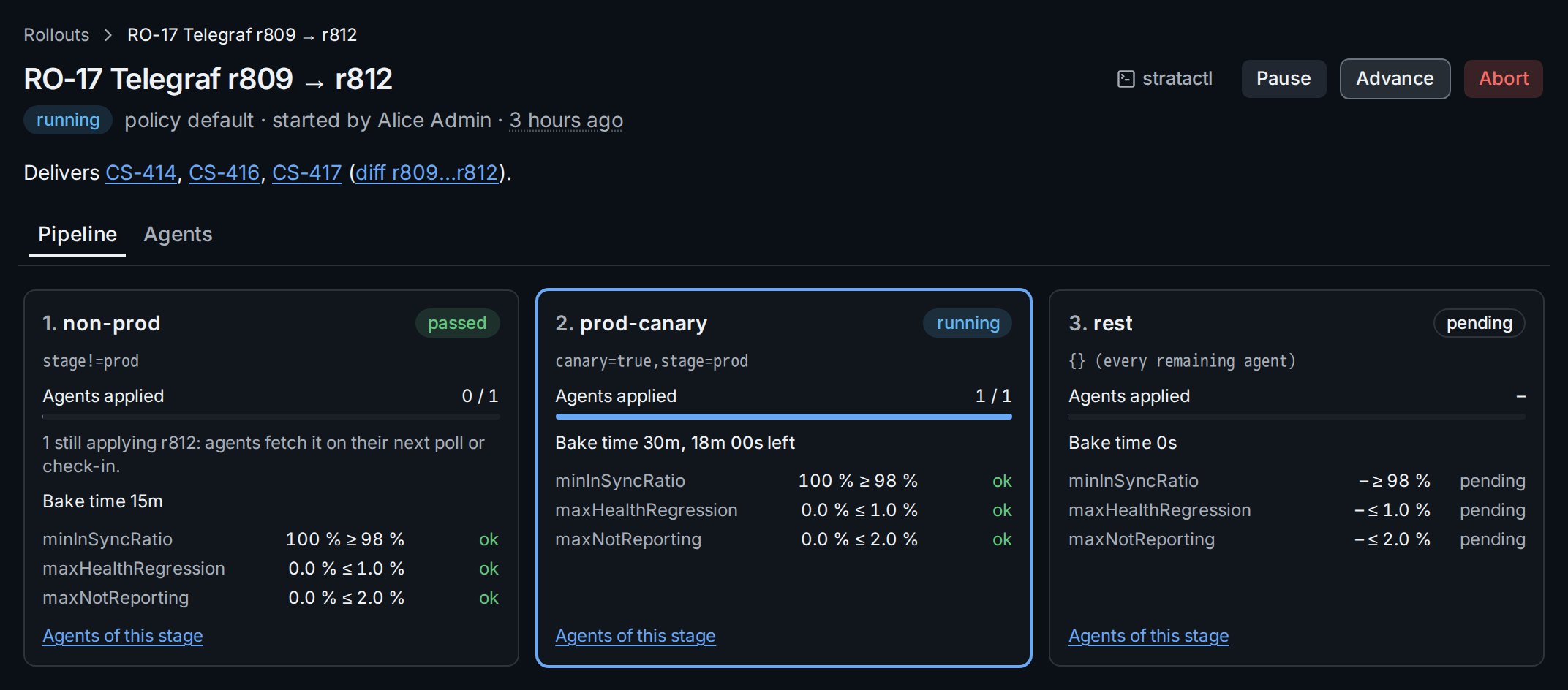
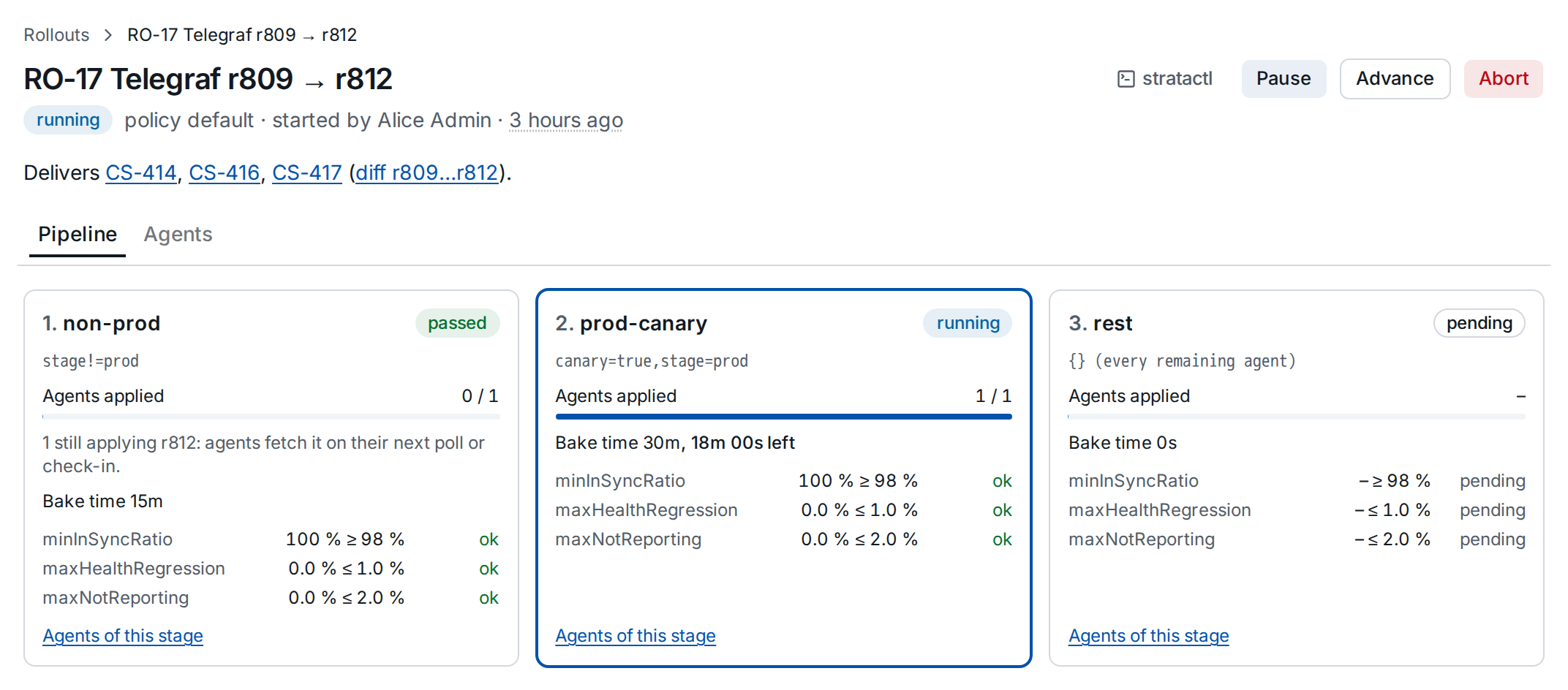
- Delivers ① lists the change sets merged between the two revisions, with a link to the diff.
- Each stage card shows its state, its selector, how many of its agents have applied the revision and its bake time; the current stage is framed. While a stage bakes, the card counts down the time left ③.
- Guardrails ④: each guardrail's current value against its threshold, updated while the stage bakes. Only when the bake time ends does a breach halt the rollout.
- A stage passes when its bake time ends and its guardrails hold, not when every agent has applied the revision. Agents still applying it are counted on the passed stage ②; they fetch it on their next poll or check-in. A completed rollout says the same above the pipeline.
- Agents of this stage opens the Agents tab filtered to the stage.
stratactl rollout show RO-17 prints the same stages with their agents
and guardrail values; stratactl rollout wait RO-17 waits until the
rollout completes, halts or is aborted, for use in a script.
3. When a rollout halts
When a stage's guardrails fail after its bake time, the stage is breached and the rollout halted: no further stage starts, and the agents already assigned keep the new revision.
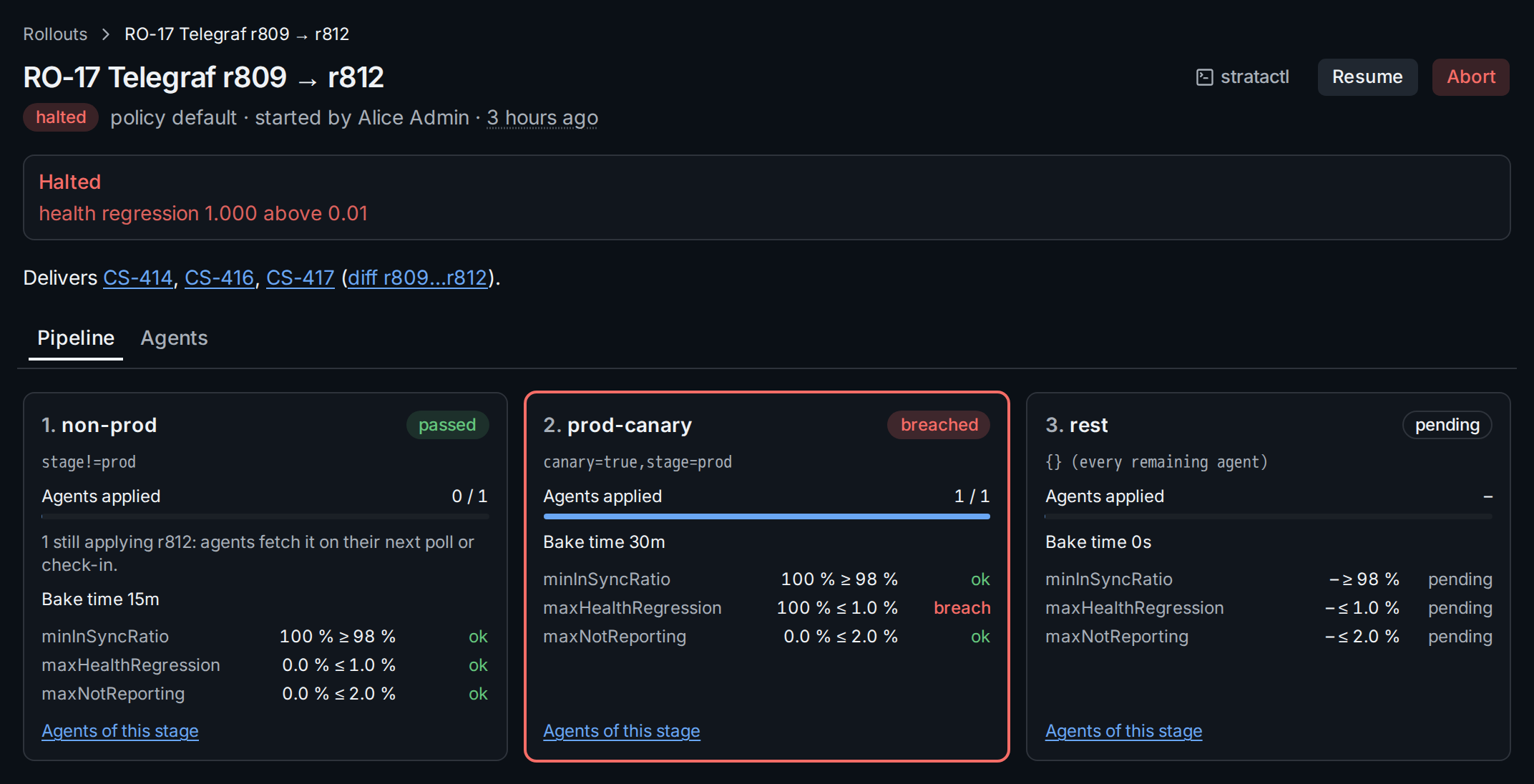
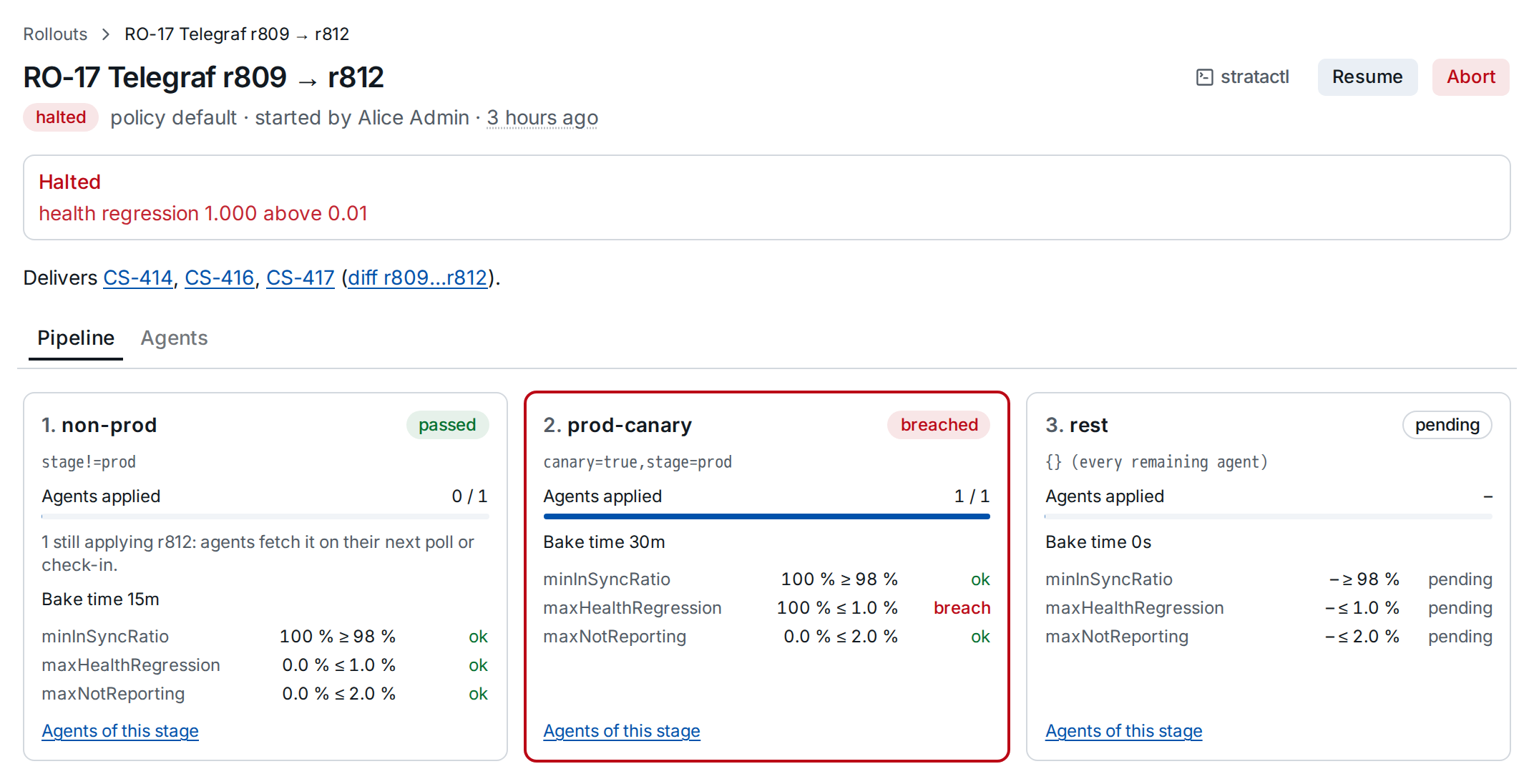
The halt reason ① and the stage card ② show which guardrail failed and by how much. To find the agents behind it, open the Agents tab and pick the stage:
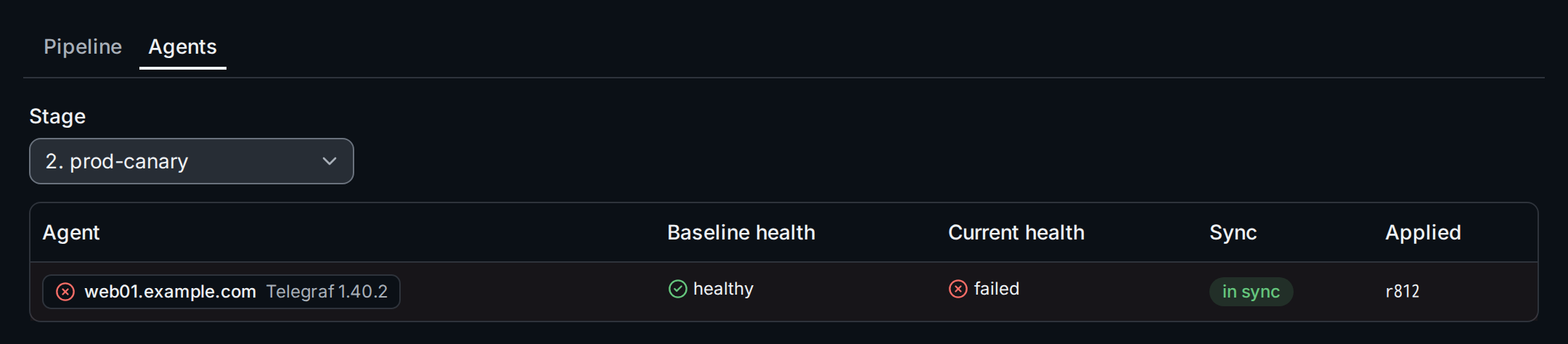
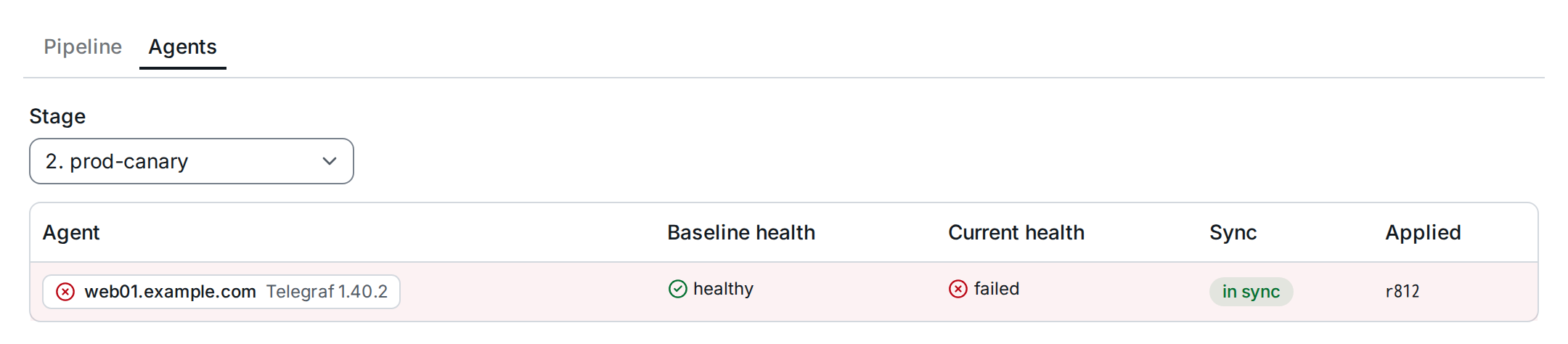
The tab lists the agents assigned per stage with their Baseline health, recorded when the stage assigned them, their current health, sync and the revision they applied ②. An agent that was healthy and has failed since is highlighted. From an agent's chip you reach its detail page, with its status messages and logs (Agent detail).
Then decide ③:
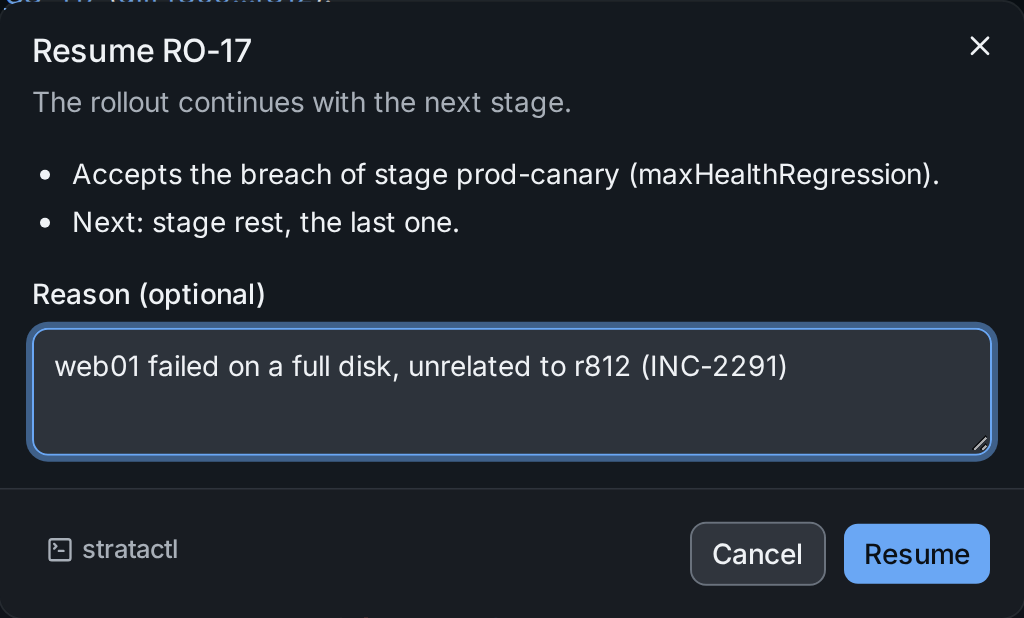
- Resume continues with the next stage. Resuming a halt accepts the breach; the dialog says which.
- Abort stops the rollout: its agents fall back to the release, which is still the old revision, unless a pin holds them. To deliver a fix, merge it; the next rollout takes the latest revision.
4. Pause, resume, advance, abort
Each action opens a dialog that lists its consequences with the numbers of the rollout (agents assigned and applied, stages left) and asks for a reason, which goes into the audit. Abort requires one.
| Action | Use it to |
|---|---|
| Pause | Stop further stages from starting, for example during an incident elsewhere. |
| Resume | Continue a paused or halted rollout with the next stage. |
| Advance | End the bake time of a running rollout's current stage now and evaluate its guardrails. |
| Abort | End the rollout and all its assignments. |
The same with stratactl: stratactl rollout pause|abort RO-17 --reason "…",
stratactl rollout resume|advance RO-17.
5. Start a rollout by hand
A rollout starts at merge when the merge dialog asks for it. To start one yourself, for example after an aborted rollout or for a kind that was skipped at merge, use Start a rollout at the top of the page or Start next to an agent kind without an active rollout.
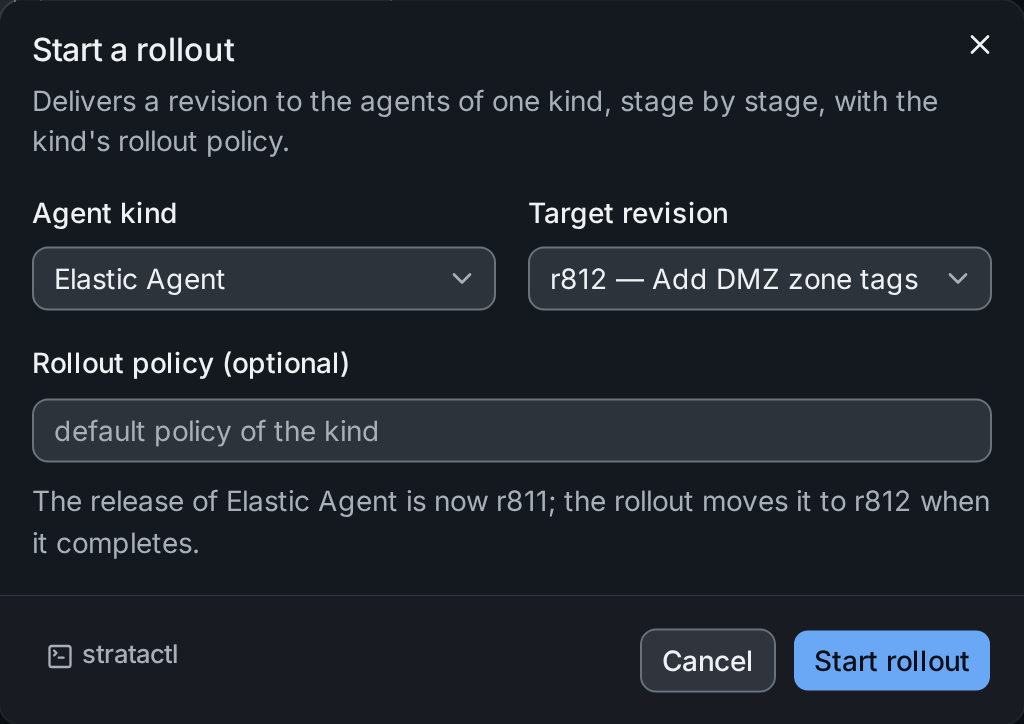
- Agent kind: only one rollout per kind can be active; the dialog marks kinds with an active rollout.
- Target revision: by default the latest.
- Rollout policy: empty uses the kind's policy; name another RolloutPolicy to use its stages and guardrails instead.
The rollout starts at once. With stratactl:
stratactl rollout start elastic-agent [--to 812] [--policy P].
To keep some agents out of rollouts, or on an older revision, pin them: Releases and pins.