Agents
Fleet › Agents lists every agent instance with its health, sync state, version and the revision it runs. Use it to find the agents that need attention and to act on many of them at once; a single agent is handled on its own page (Agent details).
1. Read the health bar
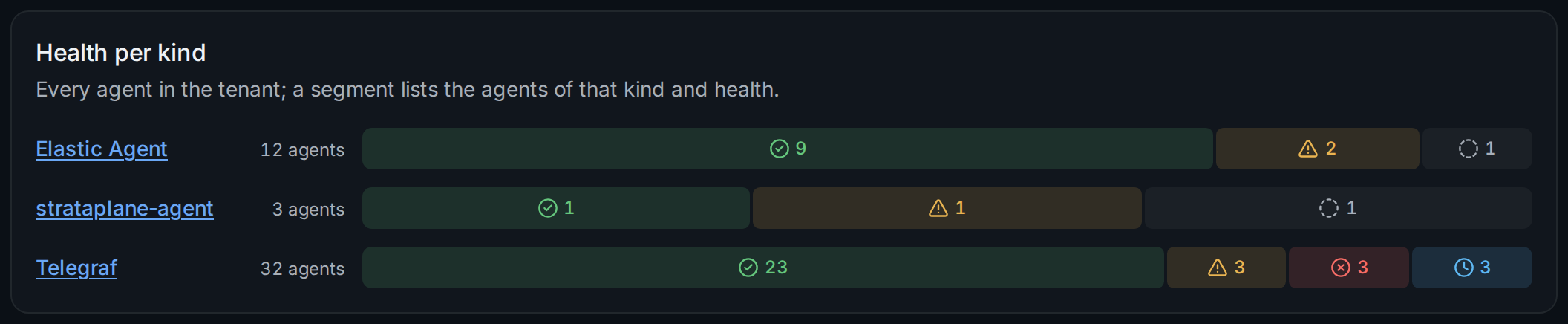
Each bar splits the agents of one kind by health: healthy, degraded,
failed, not reporting and pending (enrolled, never reported). A segment
links to the list of those agents: ① lists the three failed Telegraf
agents. With a selector set, the bars count only the agents on matching
hosts. What each health means, and how it differs from sync, is described
in agent_health.
The Overview page shows the same counts for the whole tenant, with the reasons behind agents out of sync.
2. Filter and sort
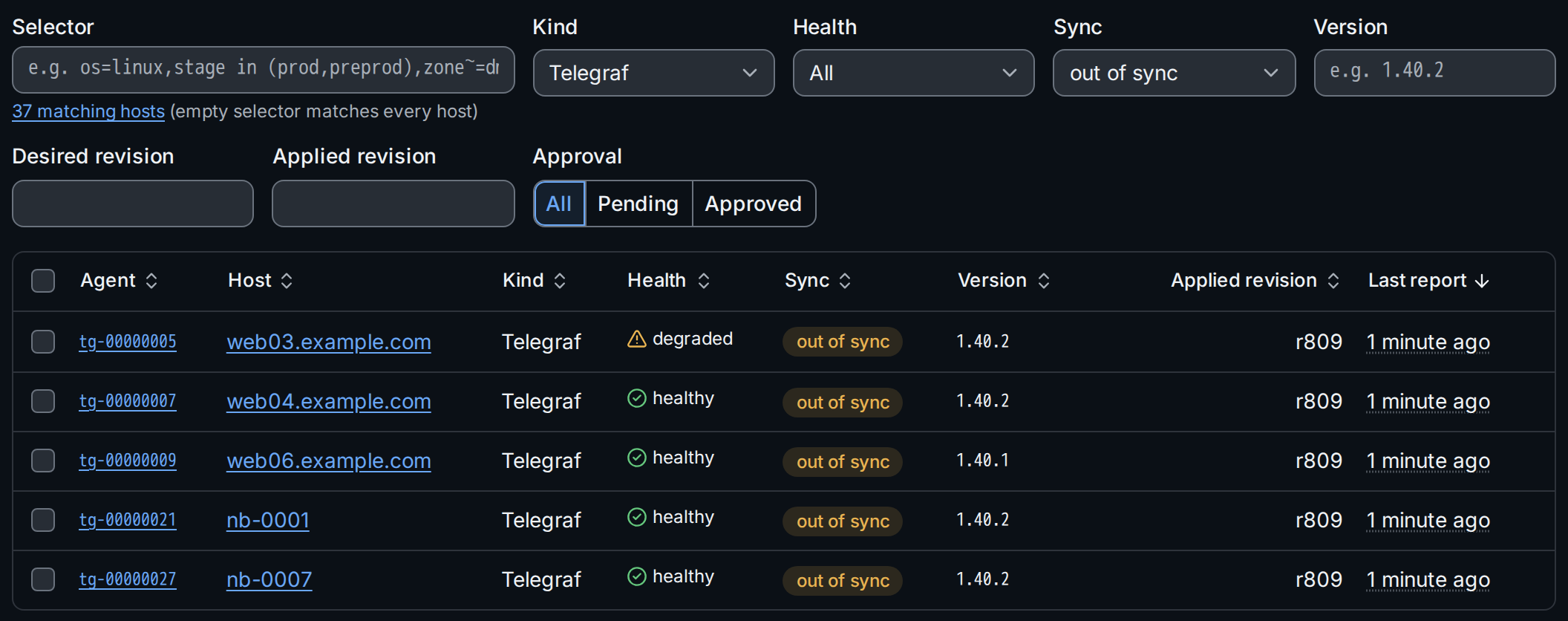
The filters combine: Selector (hosts, in the short form of Selectors), Kind, Health, Sync ①, Version, Desired revision, Applied revision and Approval (Pending lists the agents waiting for approval). Clicking a column header sorts by it ②, a second click reverses the order, a third returns to the default order by agent id. Filters and sort are part of the URL.
Badges next to the agent id mark agents that are pending approval, quarantined, or flagged, for example unsupported version for a version outside the supported range.
stratactl gives the command that lists the same agents, for example
stratactl agents --kind telegraf --sync out_of_sync --sort -last_seen_at
(stratactl agents); stratactl agents summary --by health,version prints the counts behind the bars.
3. Agents that stopped reporting
An agent that sends nothing for three of its report intervals is not
reporting. When the tenant's retention settings set silentAgents
(Settings), such an agent is
forgotten automatically after that time, and the list says when:


Forgetting by retention is the same as a manual forget: the credential is
revoked and the agent's status, events and logs are deleted; a host left
without agents is forgotten with it
(agent_instance). An agent that
reports again before that time is kept. Without silentAgents, silent
agents stay until someone forgets them.
4. Act on many agents
Select agents with the checkboxes; the header checkbox selects every listed agent. The selection bar offers the actions your roles allow, each with the number of selected agents it applies to:
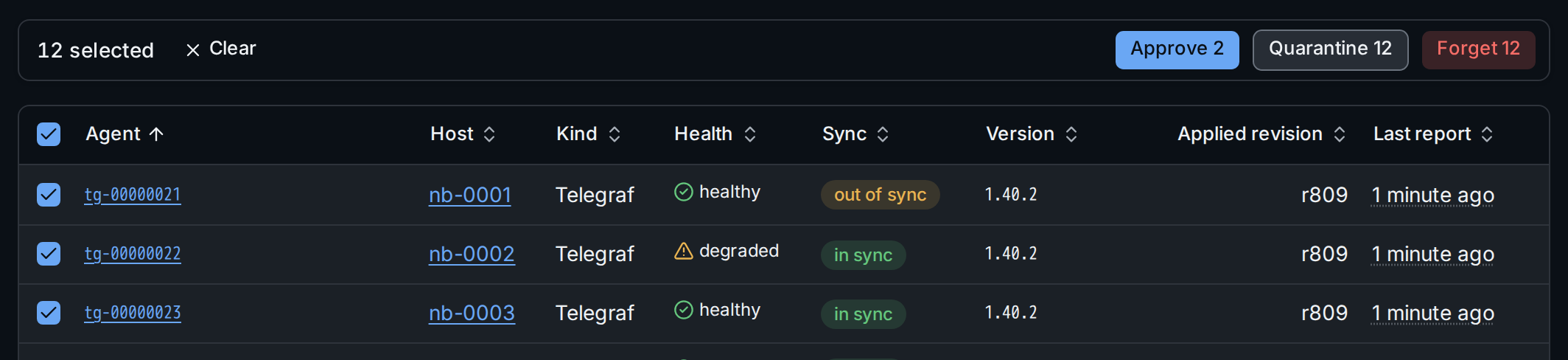
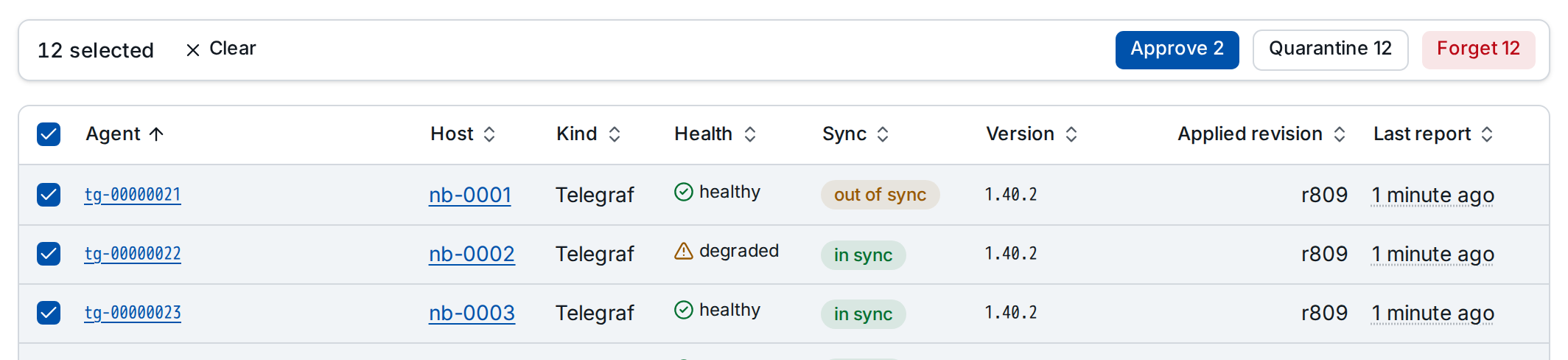
- Approve: the agents receive their config and the secrets their assurance allows.
- Quarantine: config updates and secrets stop until the agents are released; they keep running the config they have. The reason you give is recorded in the audit log and shown on each agent.
- Release: config updates and secret delivery resume.
- Forget: the credentials are revoked and the agents' status, events and logs deleted; an agent that reports again must enroll anew.
Approve and forget need the admin role, quarantine and release the operator role for the agents' hosts (Authorization).
Selected agents an action does not apply to are skipped, and the confirmation says how many. It names what the action does:
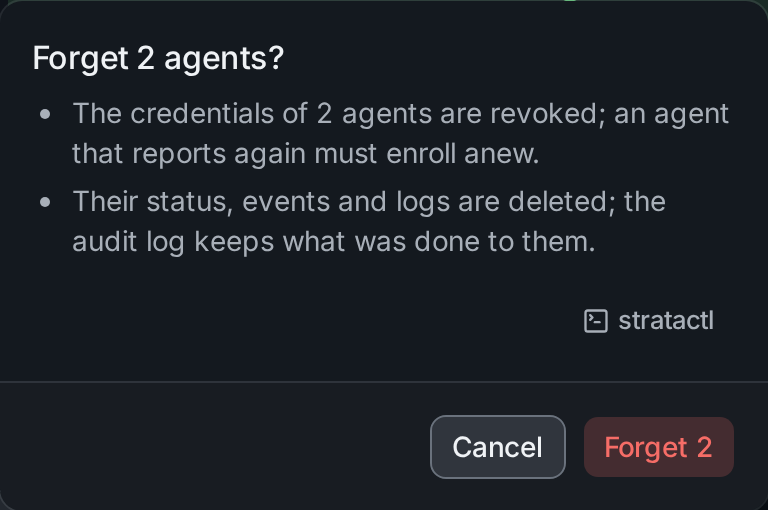
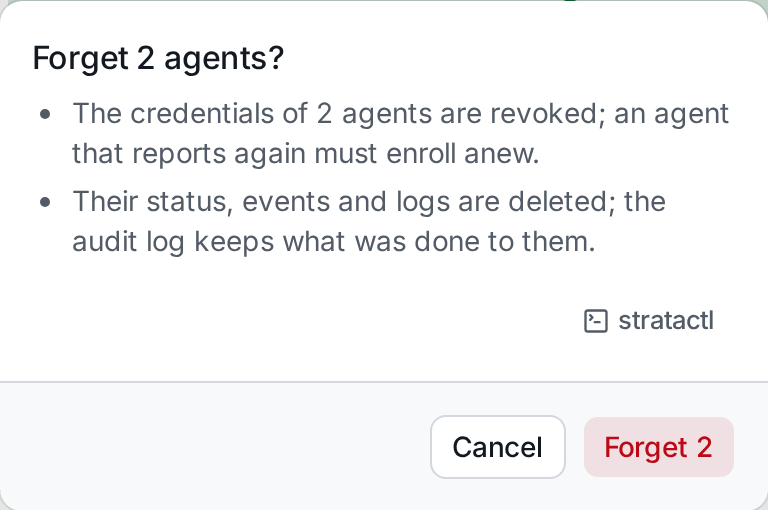
An Elastic Agent that checked in within the last ten minutes is sent
UNENROLL first and forgotten when it acknowledges
(Elastic Agent delivery);
the confirmation says how many there are. Each dialog also offers the
stratactl commands that do the same, one per agent.
The action runs once per agent. A progress bar shows while it runs (Cancel skips the agents not started yet); then the result lists every agent that failed, with the reason:


The agents that succeeded leave the selection, the failed ones stay selected, so you can retry after fixing the cause.