Access
A role binding gives a subject (a team, a user or a service account) one role in one scope: the whole tenant, the objects an owner team owns, or the hosts a label selector matches. Admin › Access lists the bindings and creates and deletes them. What each role allows per API group is defined in authorization; how owner and selector scopes apply to resources in scope domains and selectors.
1. The bindings
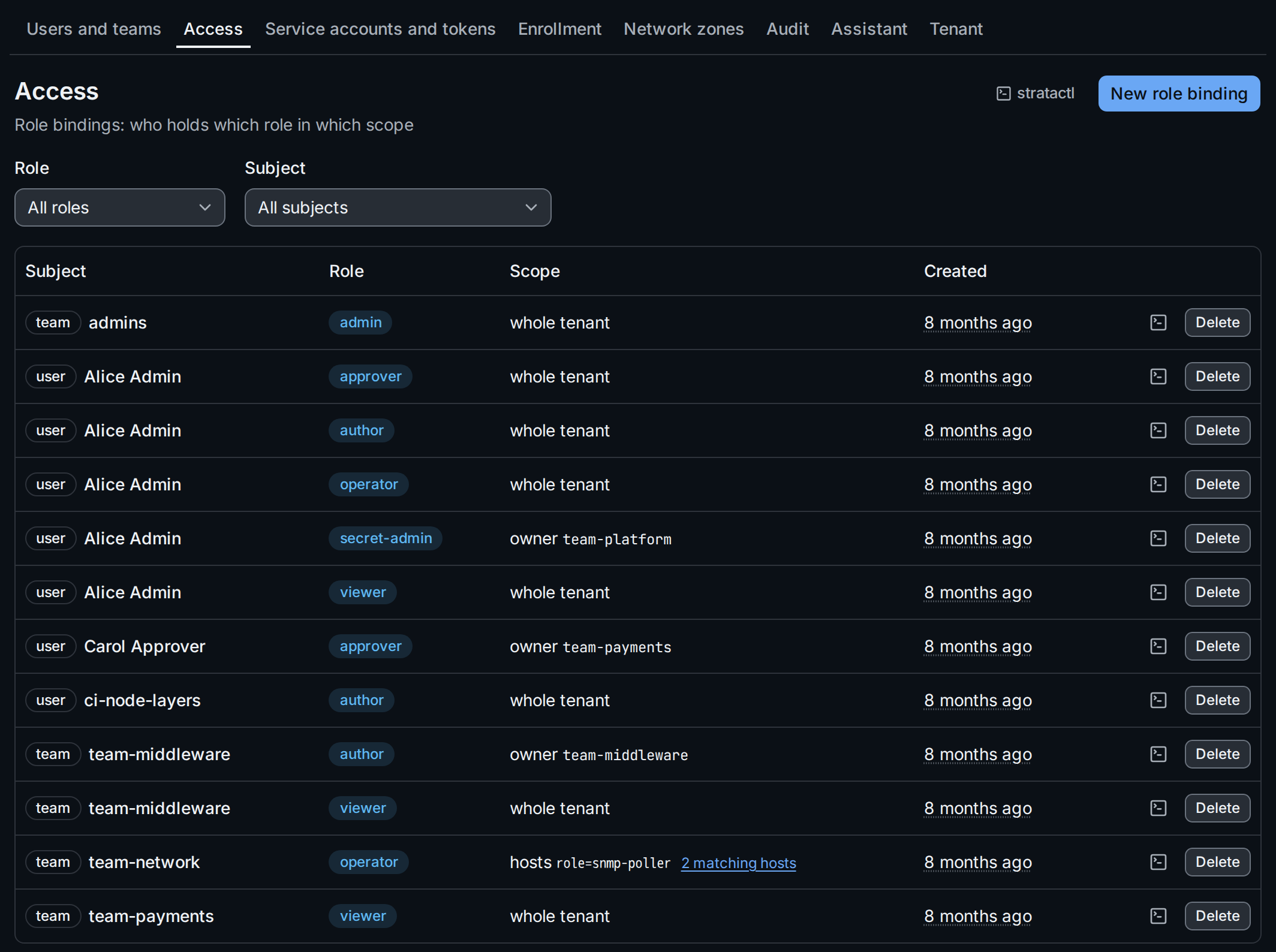
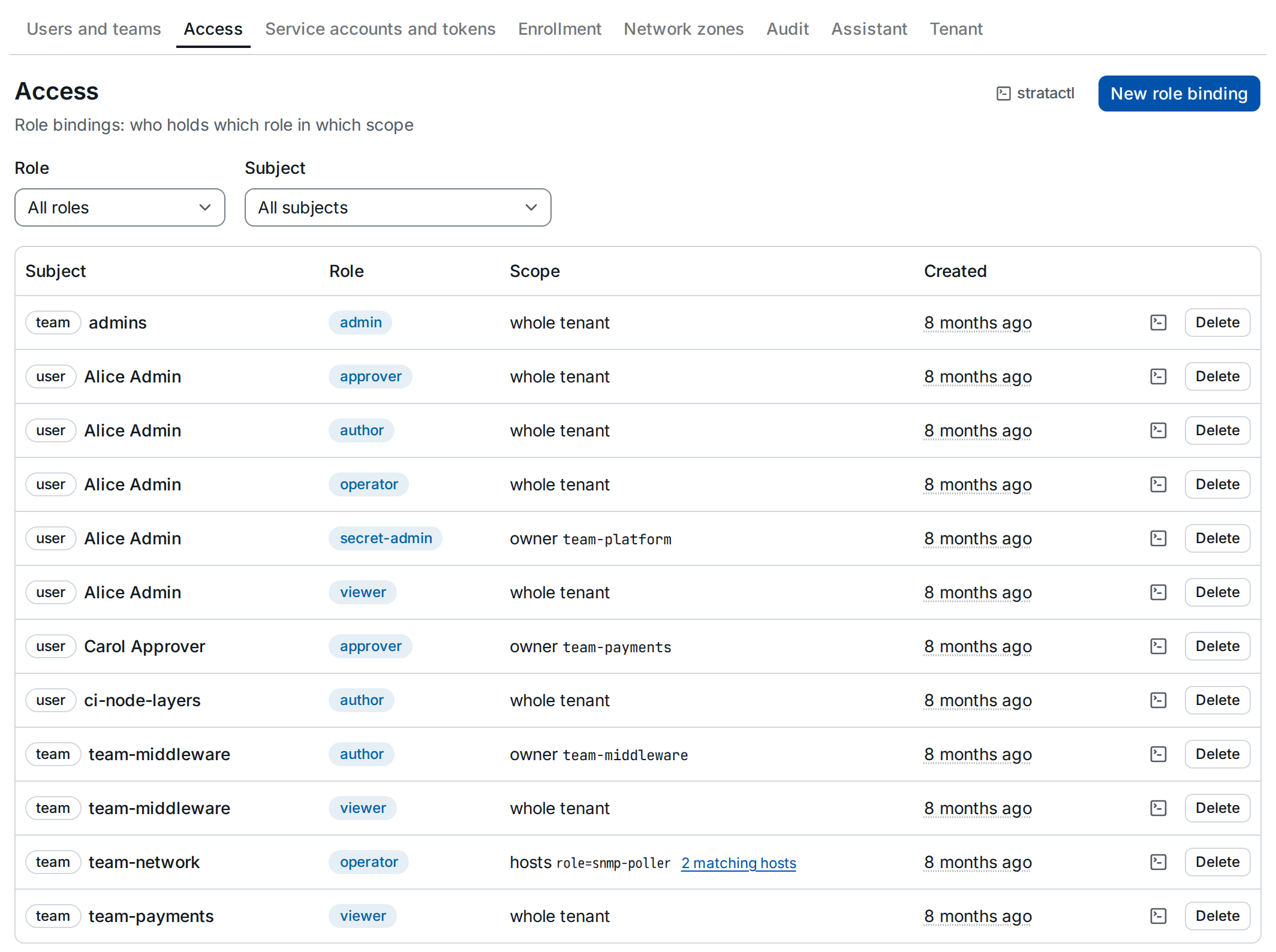
Each row shows the subject (team or user; service accounts are users),
the role and the scope. Role and Subject ① narrow the list; the
filter is in the URL, and a service account's Role bindings on
Service accounts opens the list filtered to it. An
owner scope ② names the team; a selector scope shows the selector and
links to the hosts it matches now ③. The icon on each row copies the
stratactl role-binding create command that recreates the binding;
stratactl role-binding list prints the list
(administration commands).
2. Create a binding
New role binding opens the dialog. Choose the kind of subject and the subject ①, the role, and the scope ②. Roles are not ordered: bind each role the subject needs.
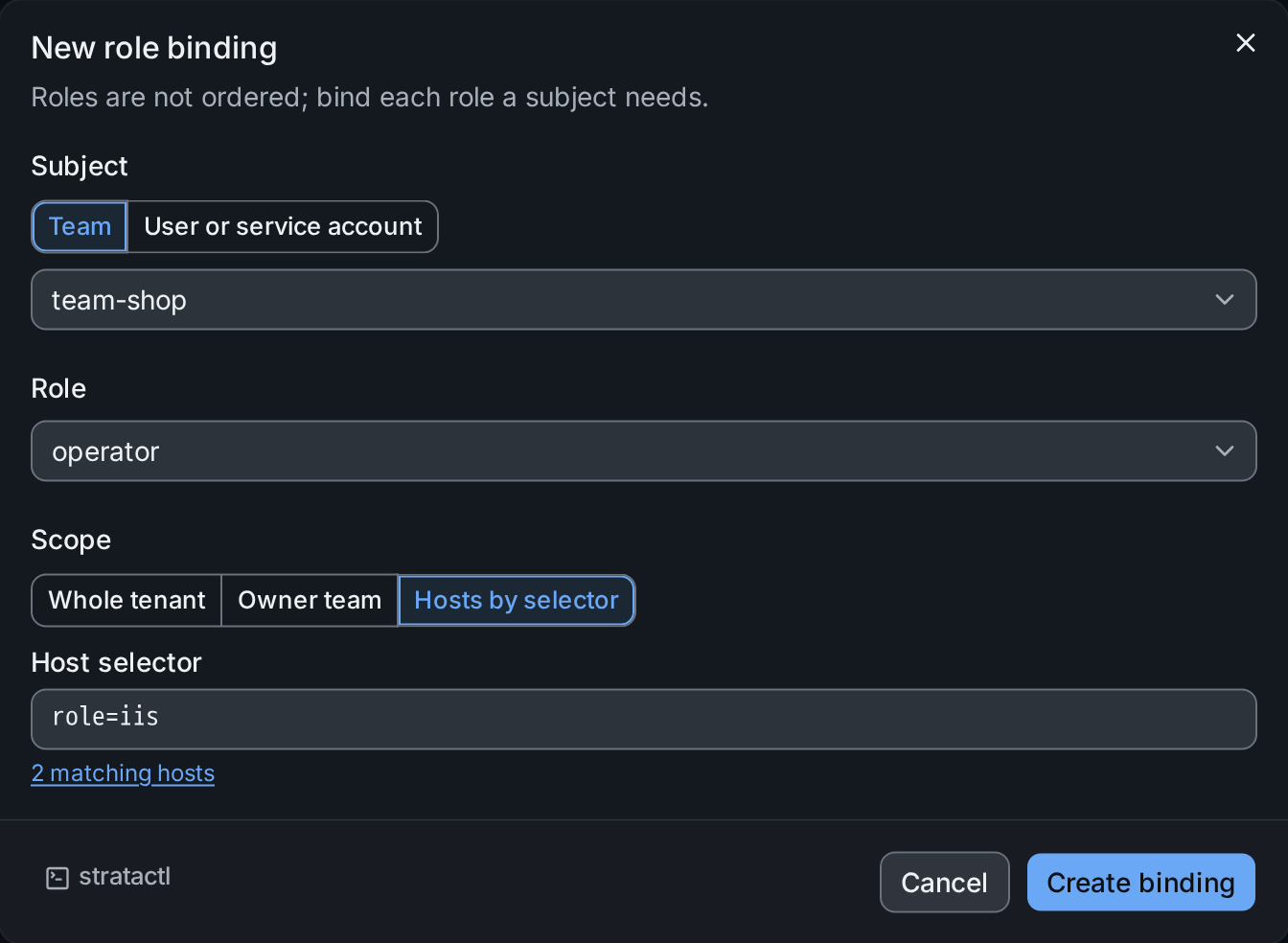
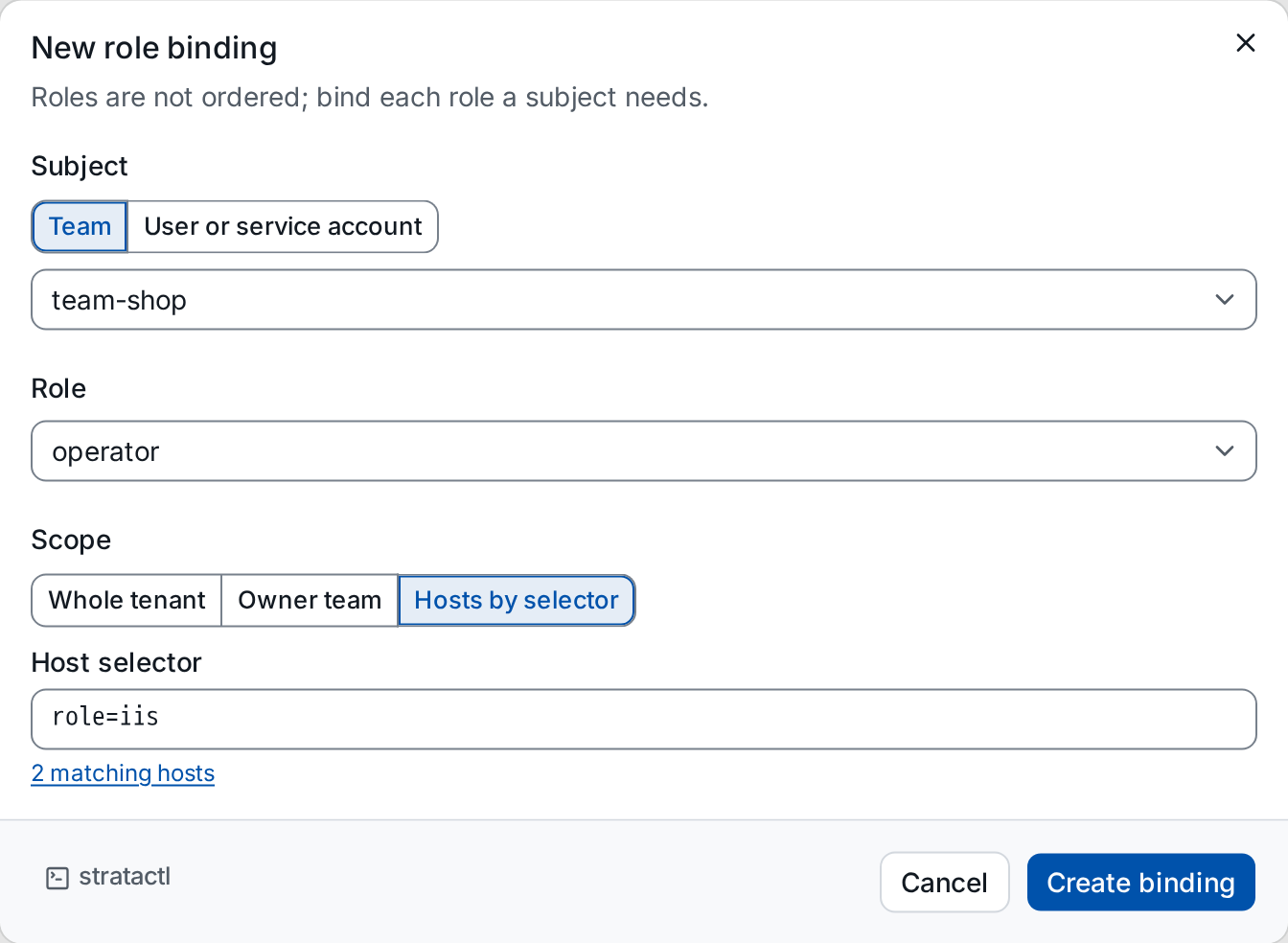
role=iis. ① the subject, ② the scope, ③ the selector with the number of hosts it matches.- Whole tenant applies the role everywhere.
adminis bound to the whole tenant only; the dialog offers no other scope for it. - Owner team applies it to what the chosen team owns.
- Hosts by selector applies it to the hosts matching the selector ③,
written in the short form (selectors).
The field completes label keys and values and shows how many hosts
match. A binding selector selects on host labels other than
owner; ownership is what the owner scope is for, and the dialog refuses a selector that usesowner.
Create binding saves it. The same on the command line:
stratactl role-binding create --team team-shop --role operator --selector 'role=iis'
3. Delete a binding
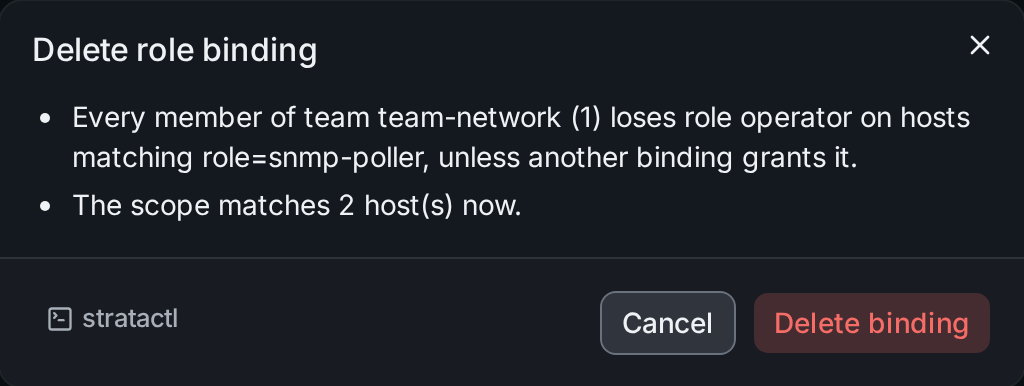
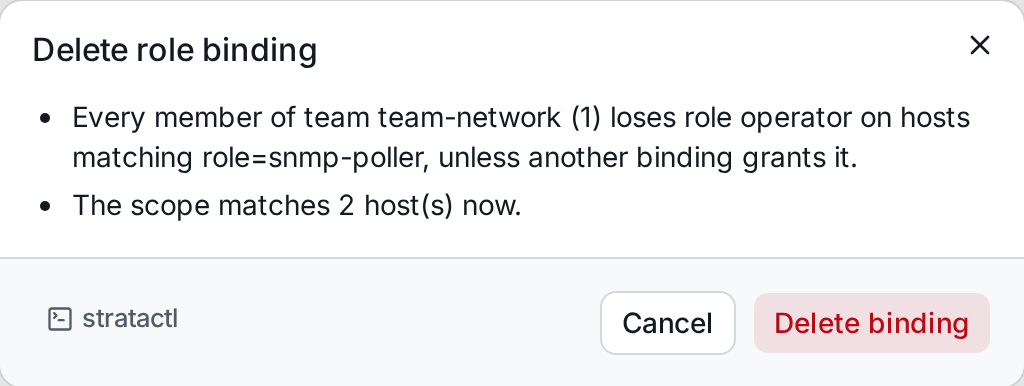
Delete on a row confirms with what the subject loses: every member of a team loses the role in that scope unless another binding grants it, and for a selector scope the dialog says how many hosts it matches now.
role=snmp-poller.On the command line: stratactl role-binding delete ID.