Enrollment
Agents join the tenant with enrollment tokens; tokens can hold agents
back until an admin approves them; and trust anchors let agents identify
themselves with a client certificate, which gives them assurance high
(security boundaries).
Admin › Enrollment has a tab for each. Creating a token and enrolling a
Telegraf agent on Linux is walked through in
Enroll your first agent; this page
covers the rest.
1. Enrollment tokens
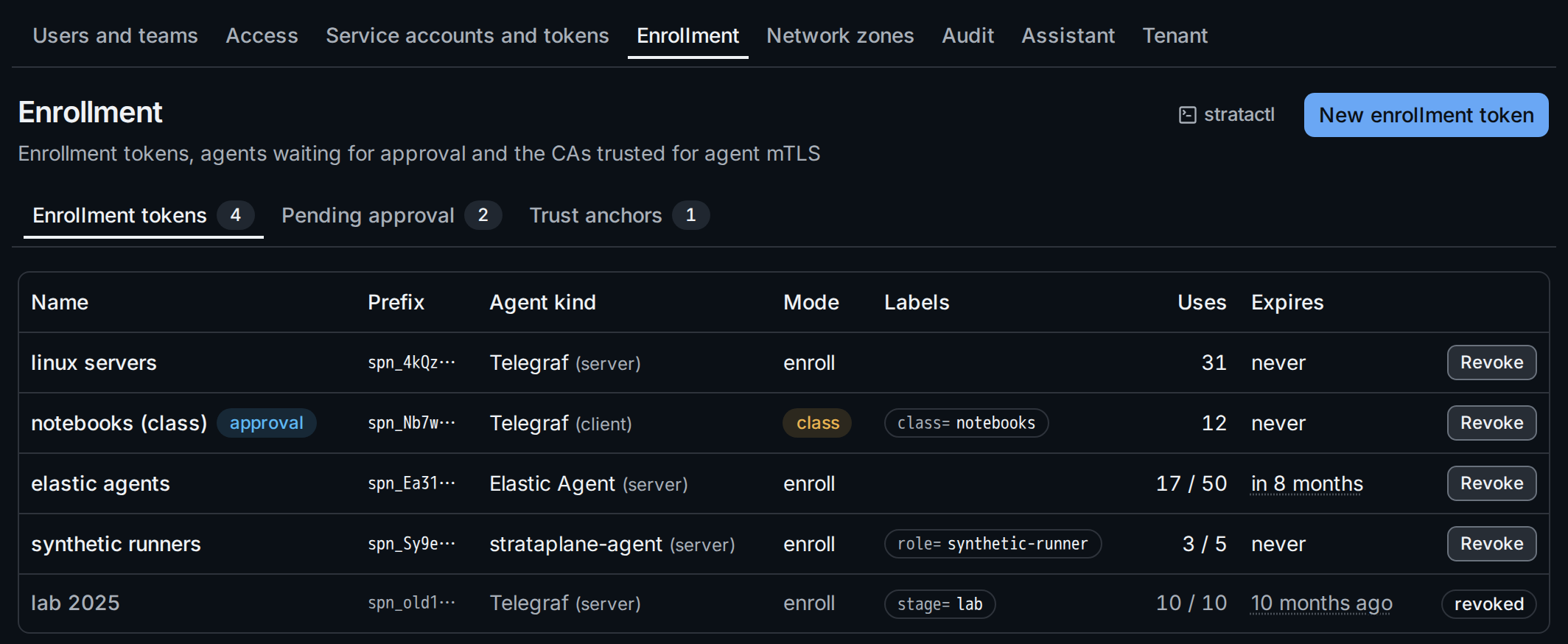
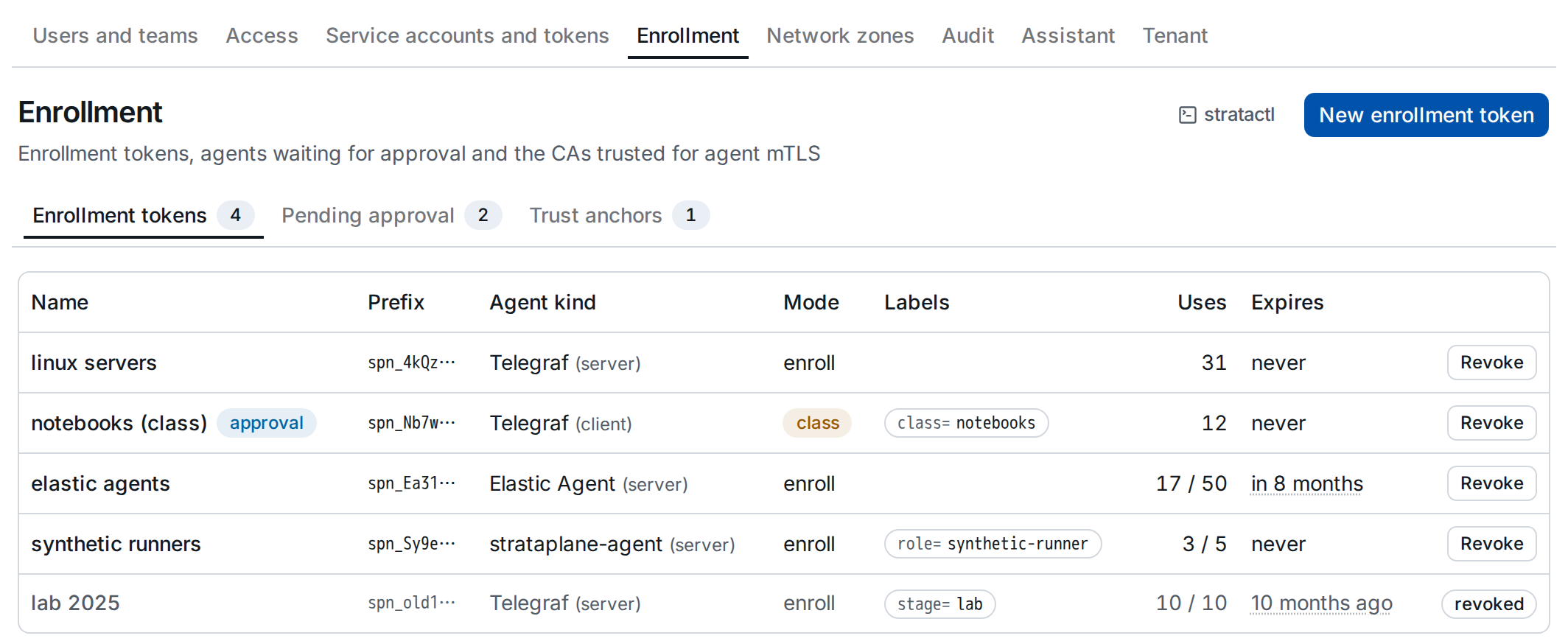
Each token shows its prefix, the agent kind with the host kind of the
hosts it creates, its mode ② (enroll, or class for Telegraf machines
built from one image), the labels it sets on the hosts, its uses against
Max uses ③ and its expiry. approval marks tokens whose agents wait
for approval. The tabs ① lead to the agents pending approval and the
trust anchors. On the command line: stratactl enrollment-token list|create|revoke (administration commands).
2. Install snippets per agent kind
New enrollment token creates a token and shows it once, with install snippets for its agent kind; the first enrollment explains the fields. Every snippet asks for the token at a hidden prompt, so it is in none of the commands you paste and stays out of the shell history (the note ① below). The snippets point at the Agent listener URL above them.
Telegraf class mode
With Mode Class (Telegraf only) the token itself is the shared
credential of every machine built from the image: there is no enrollment
step, the instances have assurance low and receive no secrets
(class mode). The snippets ②
are run while building the image, for Windows or Linux:
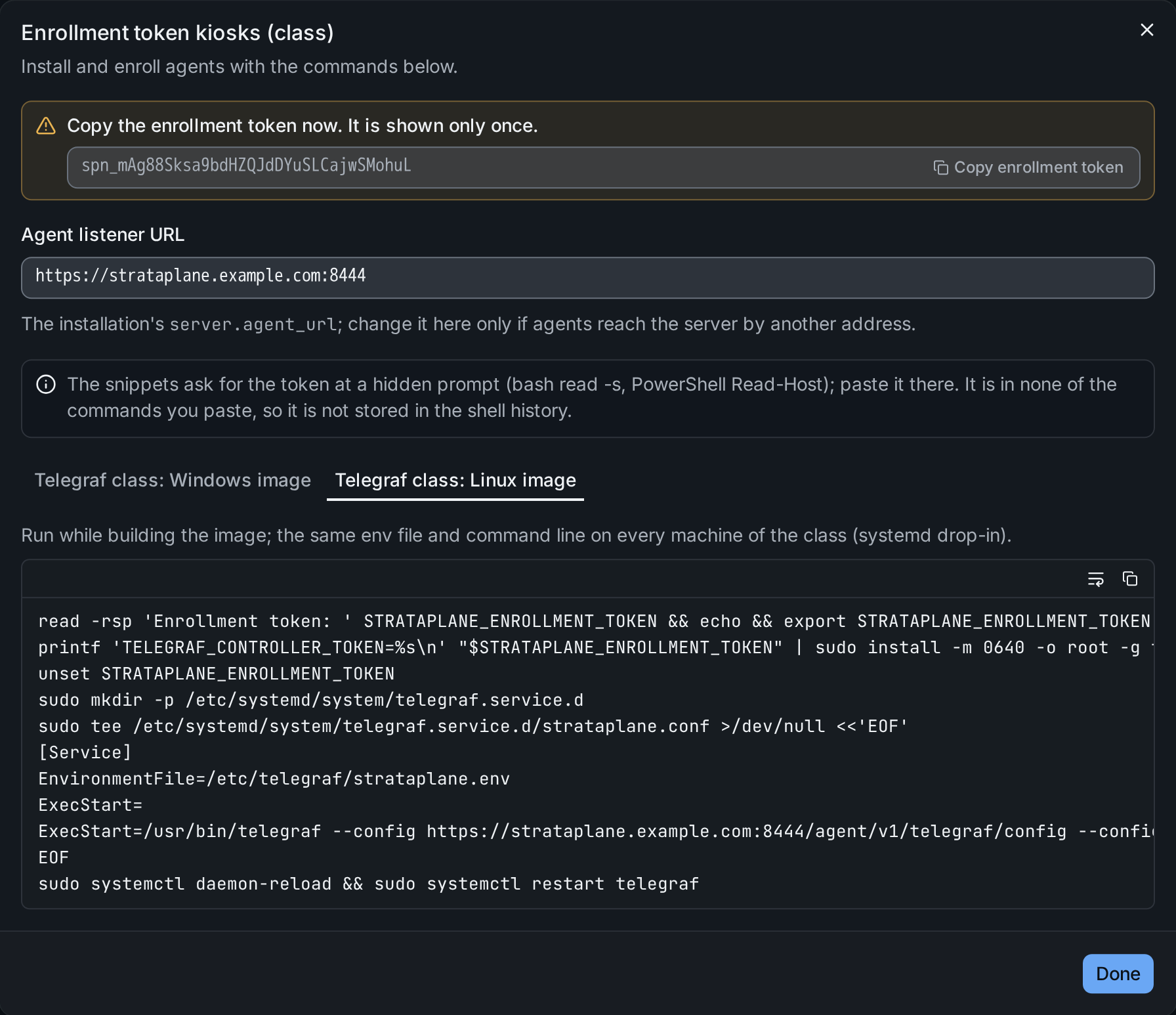
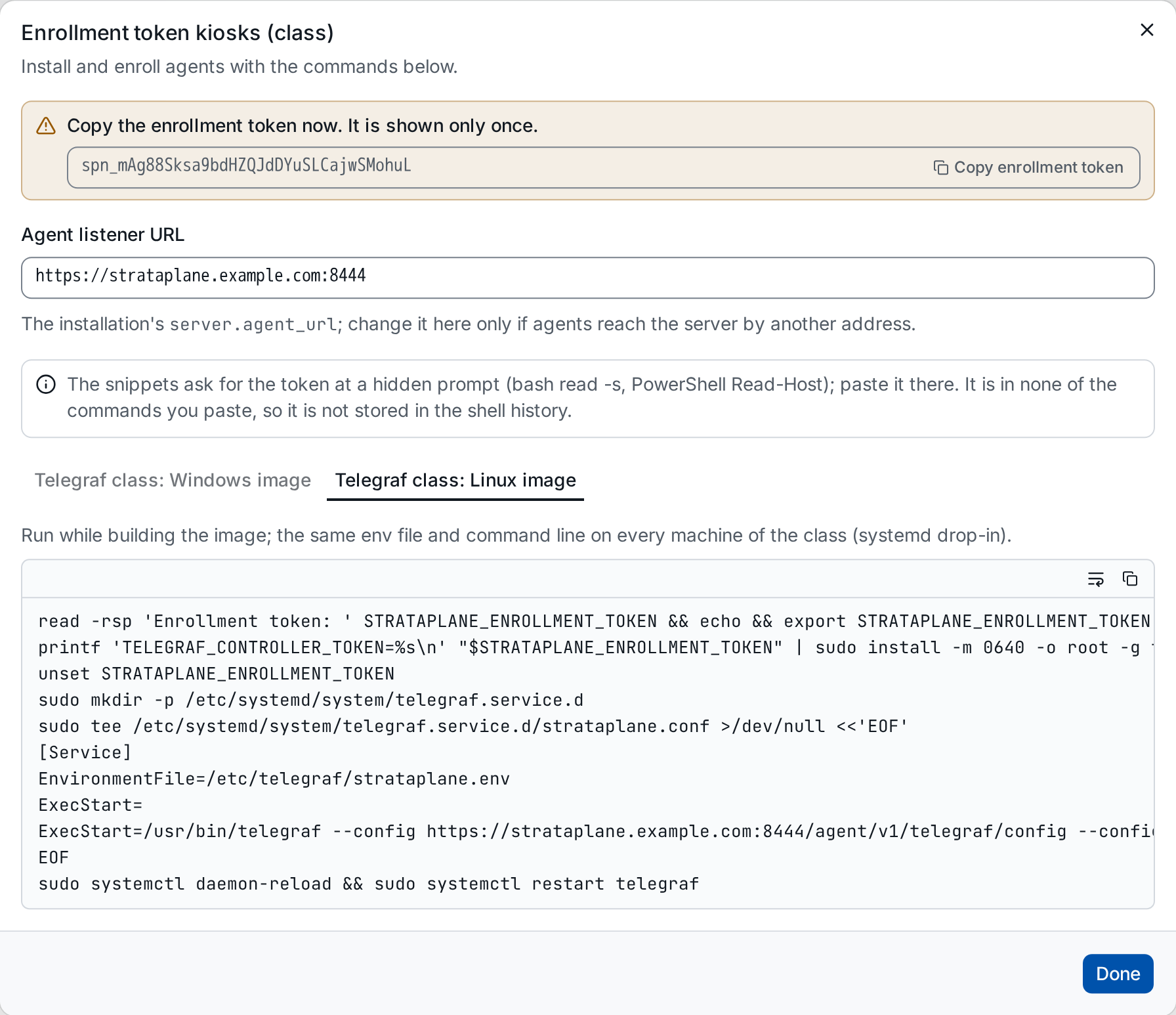
class=kiosks. ① the history note, ② the snippets for a Windows and a Linux image.Elastic Agent
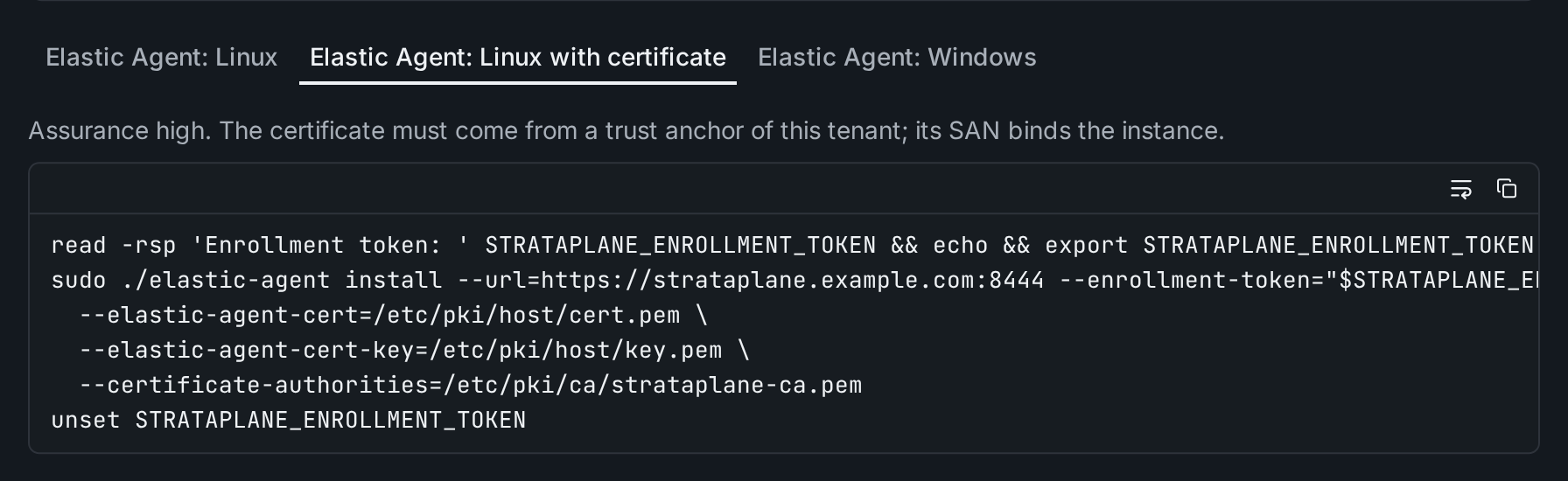
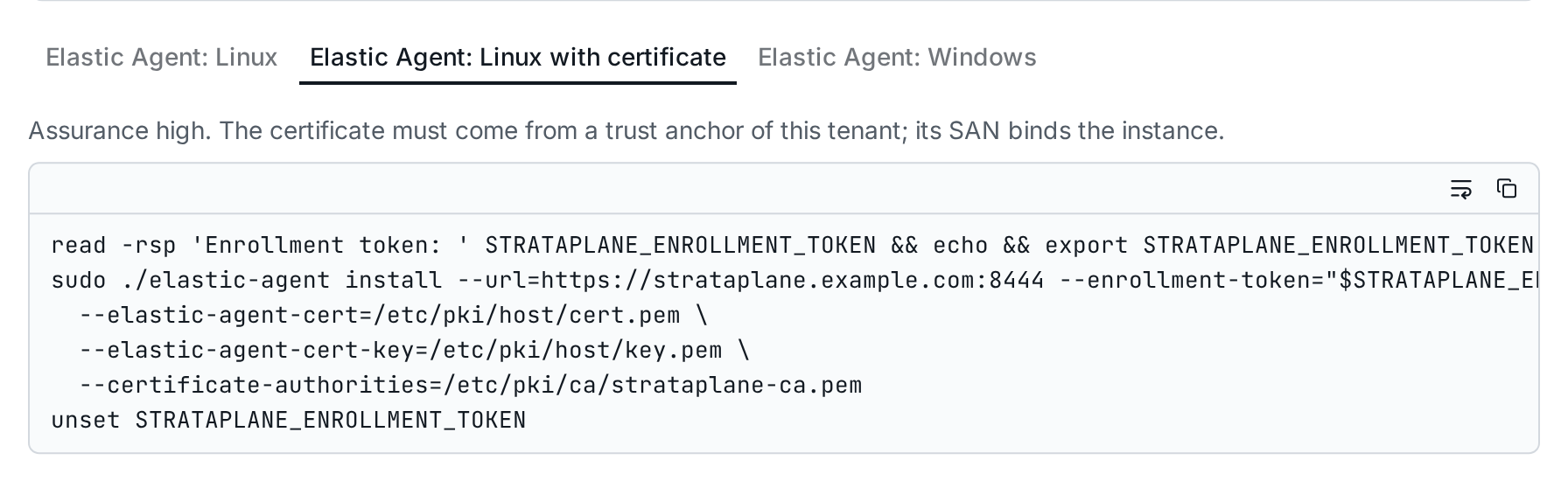
An Elastic Agent token offers elastic-agent install for Linux, for Linux
with a host certificate from a trust anchor of the tenant (assurance
high), and for Windows. Windows machines built from one image install
and enroll at first boot, never in the image
(identity and enrollment).
Vector
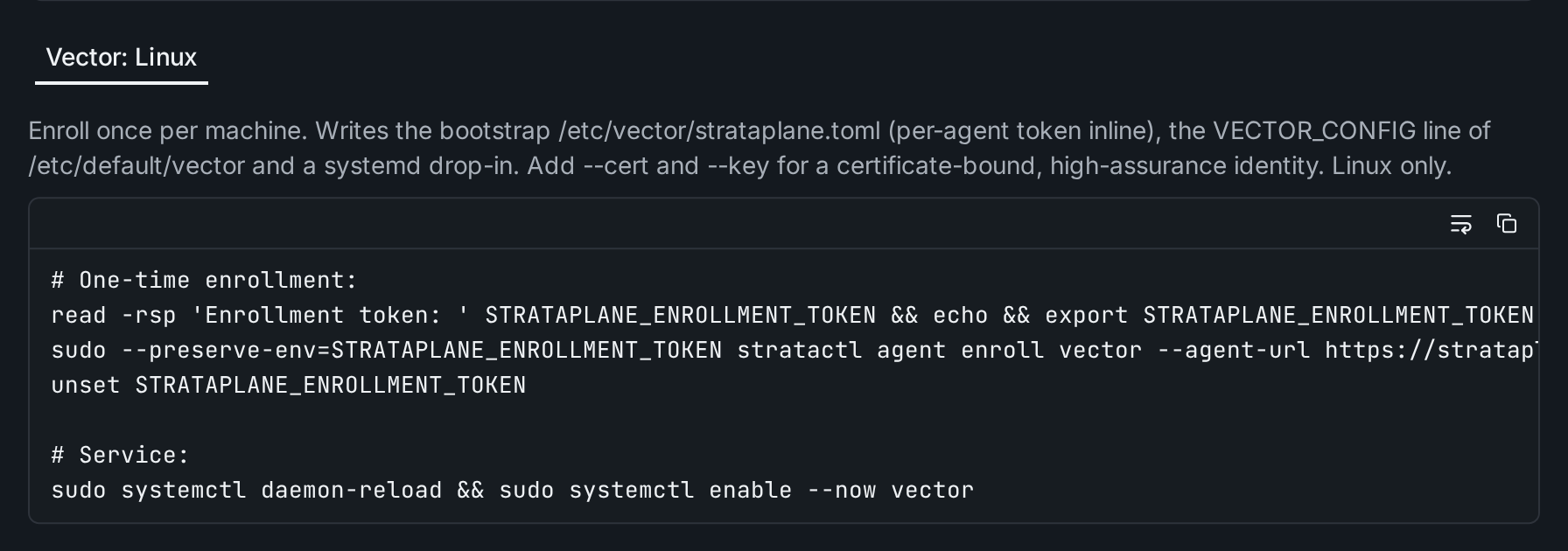
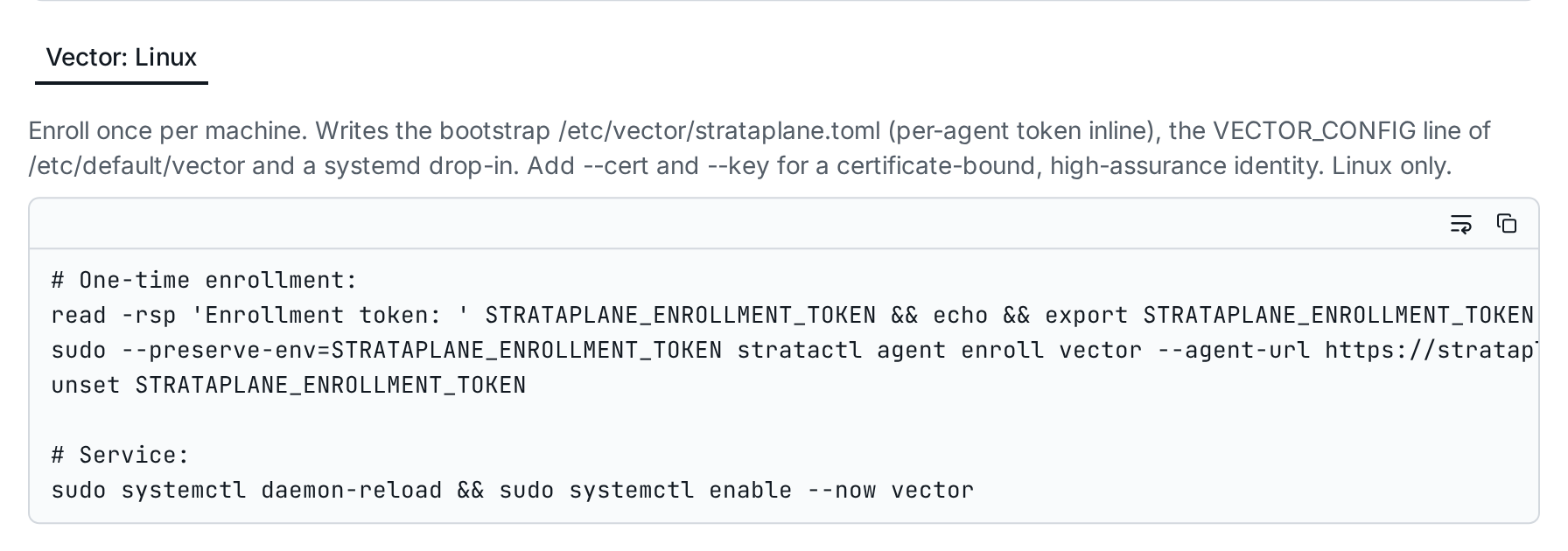
A Vector token offers one snippet, for Linux: stratactl agent enroll vector writes Vector's bootstrap and a systemd drop-in
(bootstrap on the host,
stratactl agent enroll).
3. Revoke a token
Revoke on a token's row states what revoking means for its mode. An enroll token refuses new enrollments; the agents enrolled with it keep their own credentials. Revoking a class token stops config delivery and heartbeats for every machine of the class:
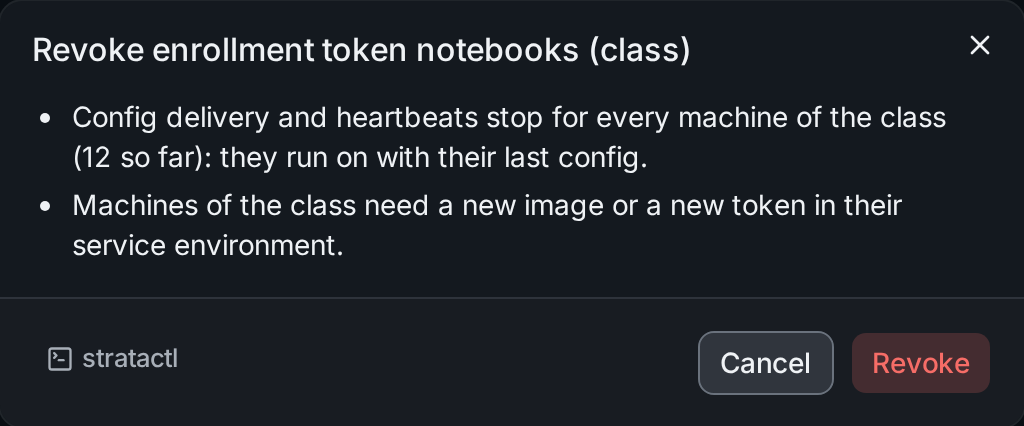
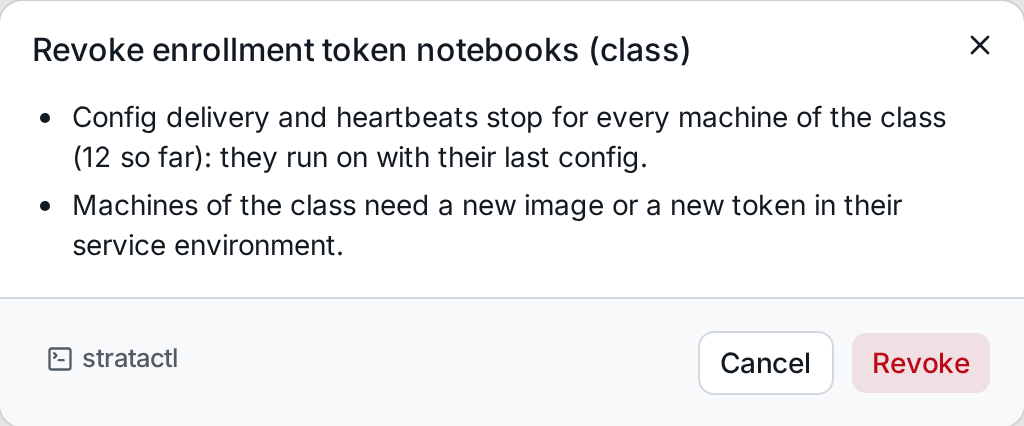
The machines of the class then need a new image or a new token in their
service environment. On the command line: stratactl enrollment-token revoke ID.
4. Approve pending agents
Agents enrolled with a token that requires approval wait on the Pending approval tab and get no config until approved. Each shows when and from which address it enrolled and its assurance:
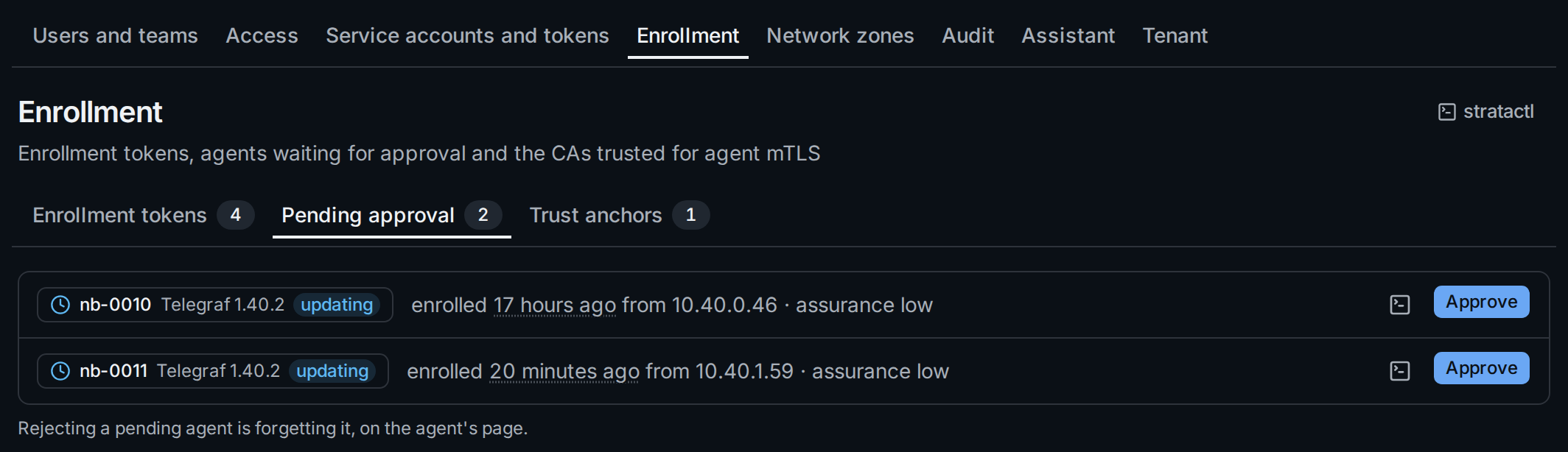
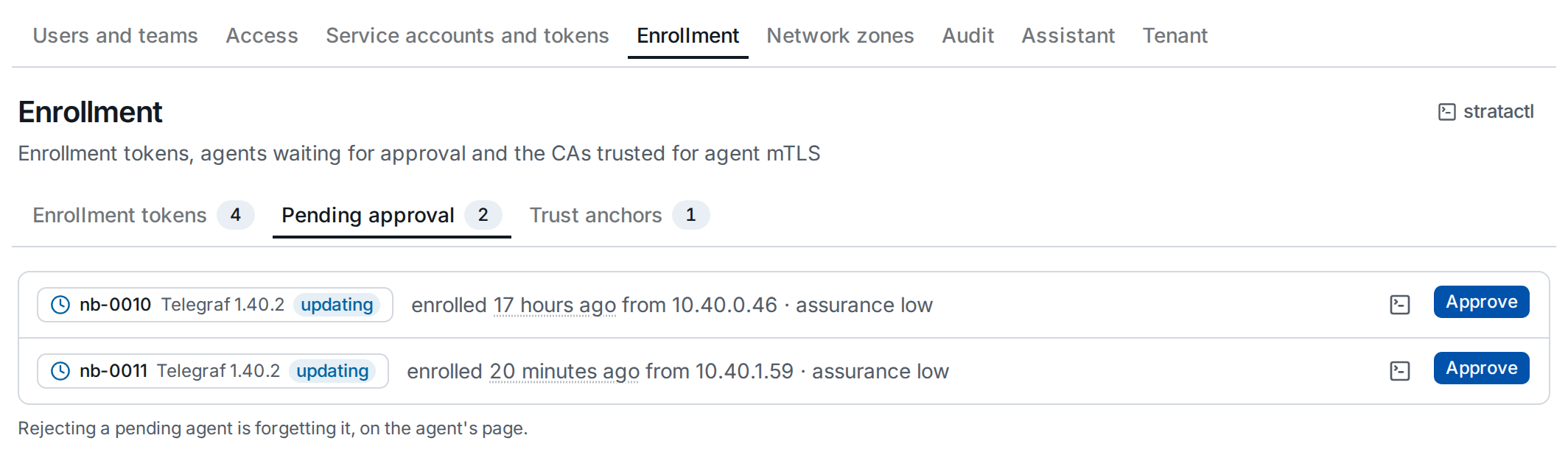
Approve ① can set manual labels on the host as well (room=b12); the
agent gets its config from then on. The same with stratactl agent approve HOST [KEY=VALUE…]; Fleet › Agents approves several at once
(Agents). To reject a pending agent, forget it on its
page (Agent detail).
5. Trust anchors
A trust anchor is a CA whose certificates identify the tenant's agents
over mTLS. Without one, agents enroll with tokens only, with assurance
low.
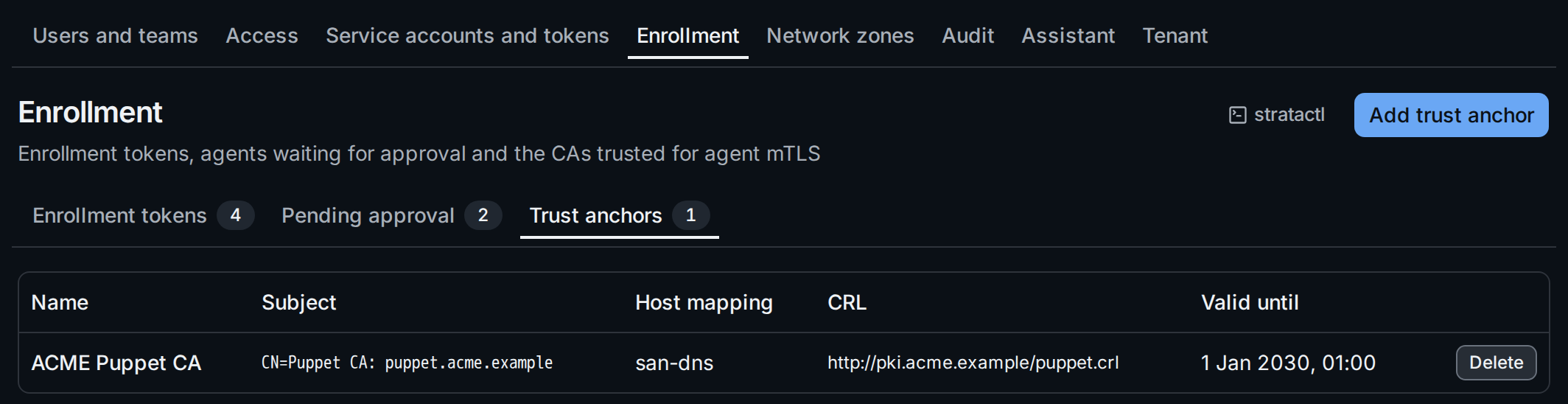
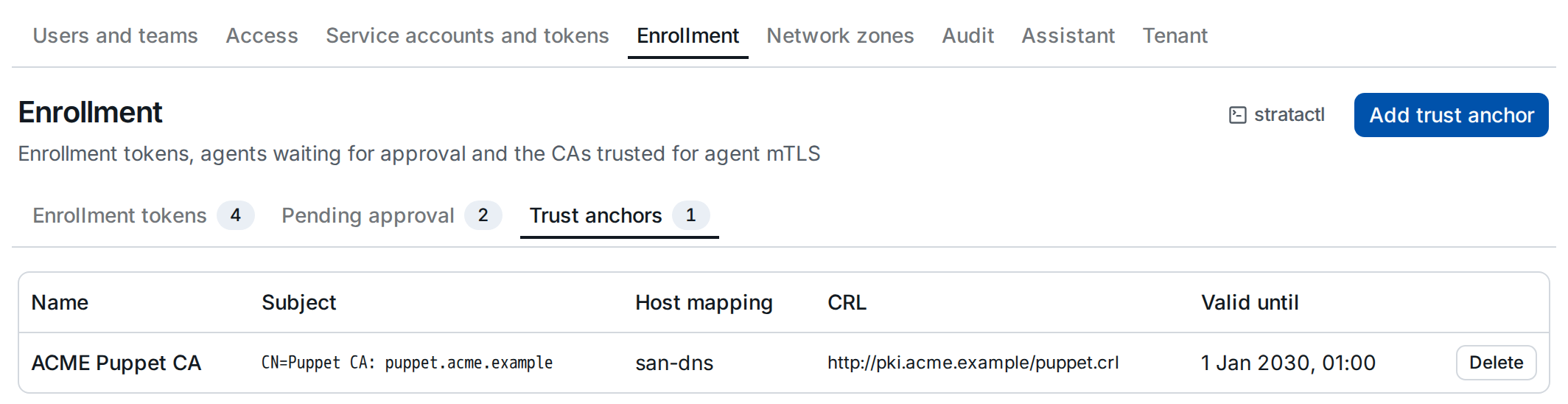
Add trust anchor ② asks for a name, the CA certificate (pasted or loaded from a file), an optional CRL URL and where the host name comes from in an agent's certificate ①:
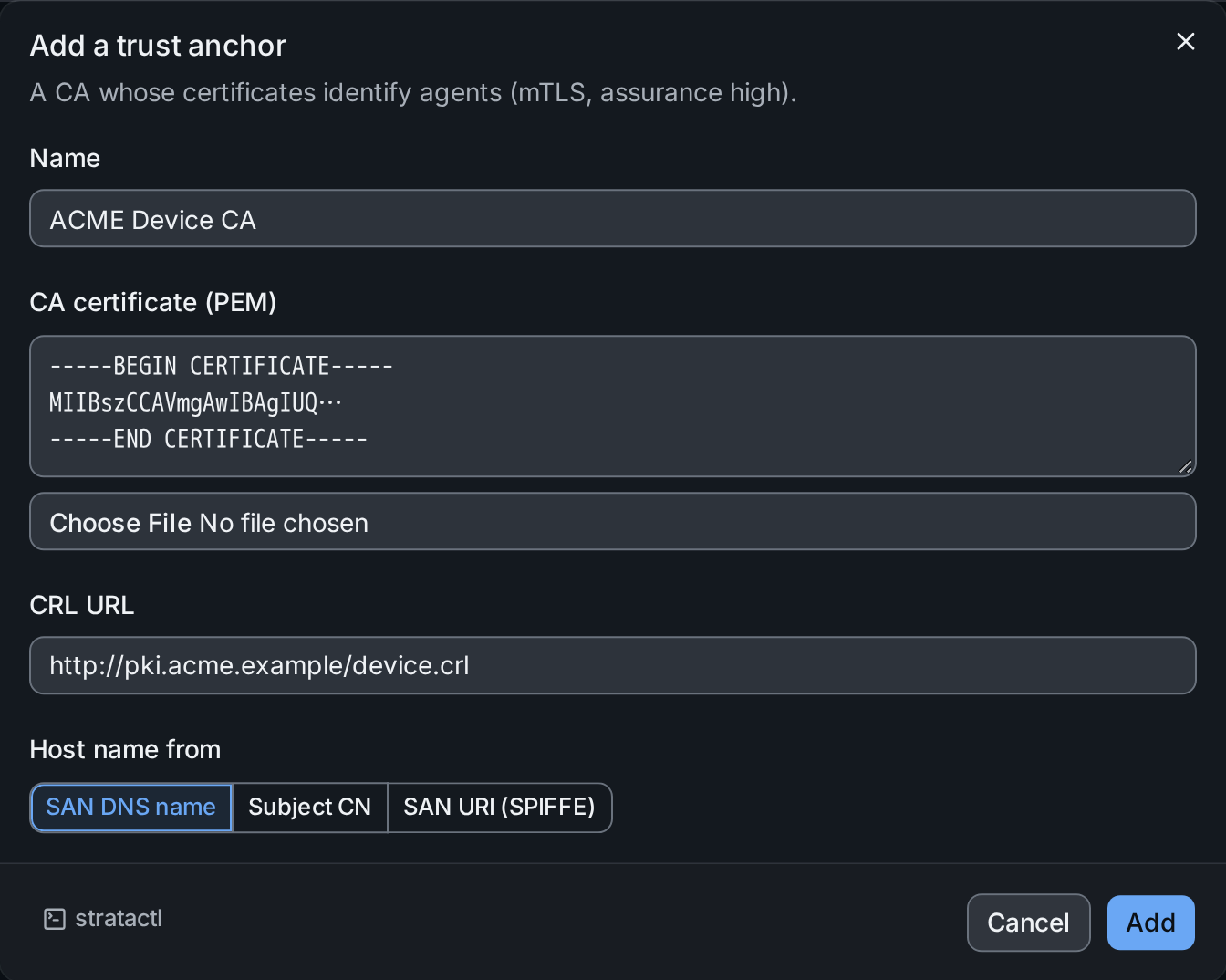
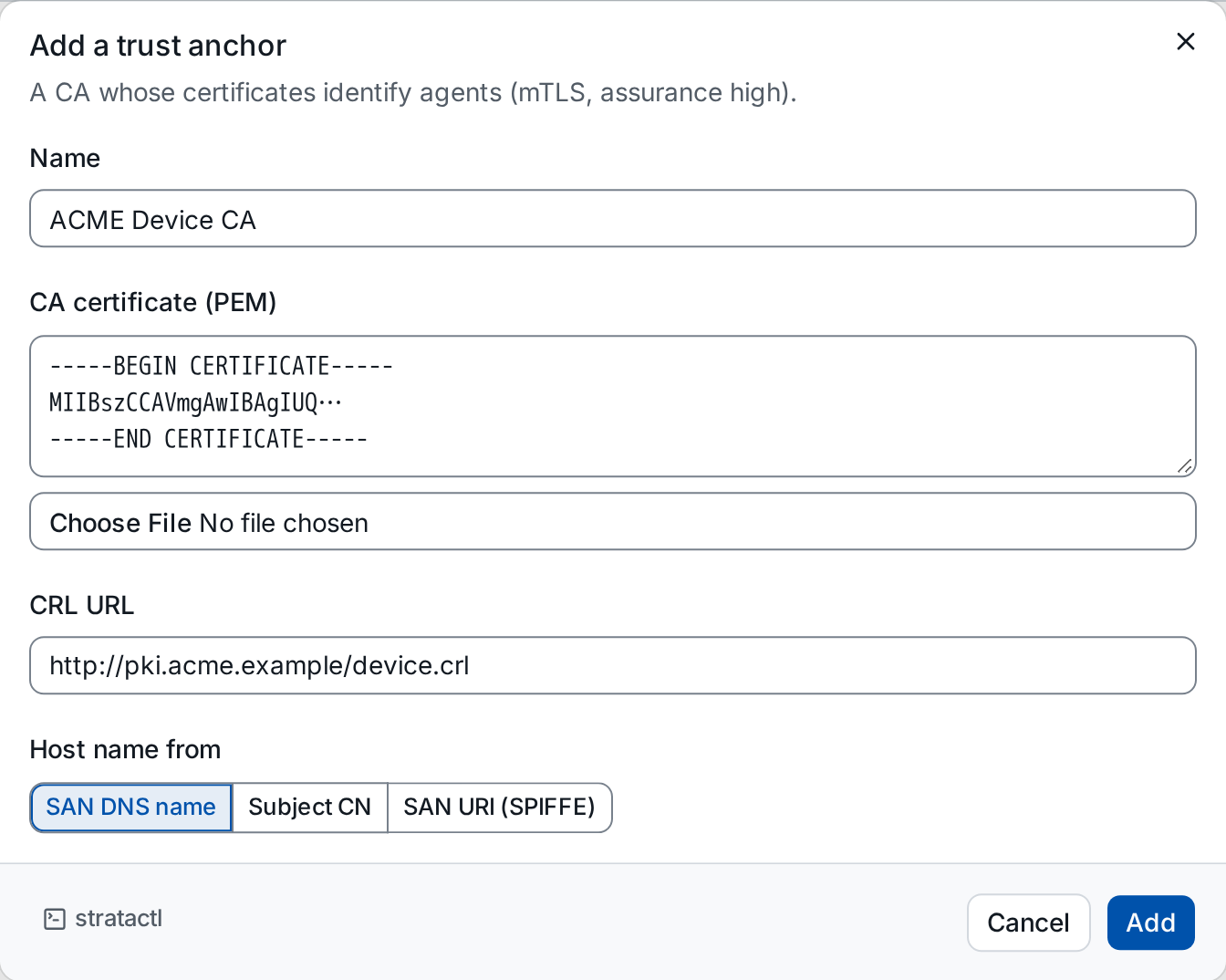
Each replica fetches the CRL on first use and then hourly; the URL is subject to the installation's egress rules (security boundaries).
Delete asks for the anchor's name to be typed. The agents identified
by its certificates lose their certificate binding and drop to assurance
low, so secrets that require high are no longer delivered to them. On
the command line: stratactl trust-anchor list|create|delete.