Assistant providers
The assistant runs in the browser but reaches its model through the server, which keeps the provider's API key. Tenant admins decide under Admin › Assistant which providers the tenant uses and which of their models members may pick; until a provider with at least one model is configured, the assistant is unavailable. How the server proxies the model calls is described in Assistant runtime.
1. Check the providers
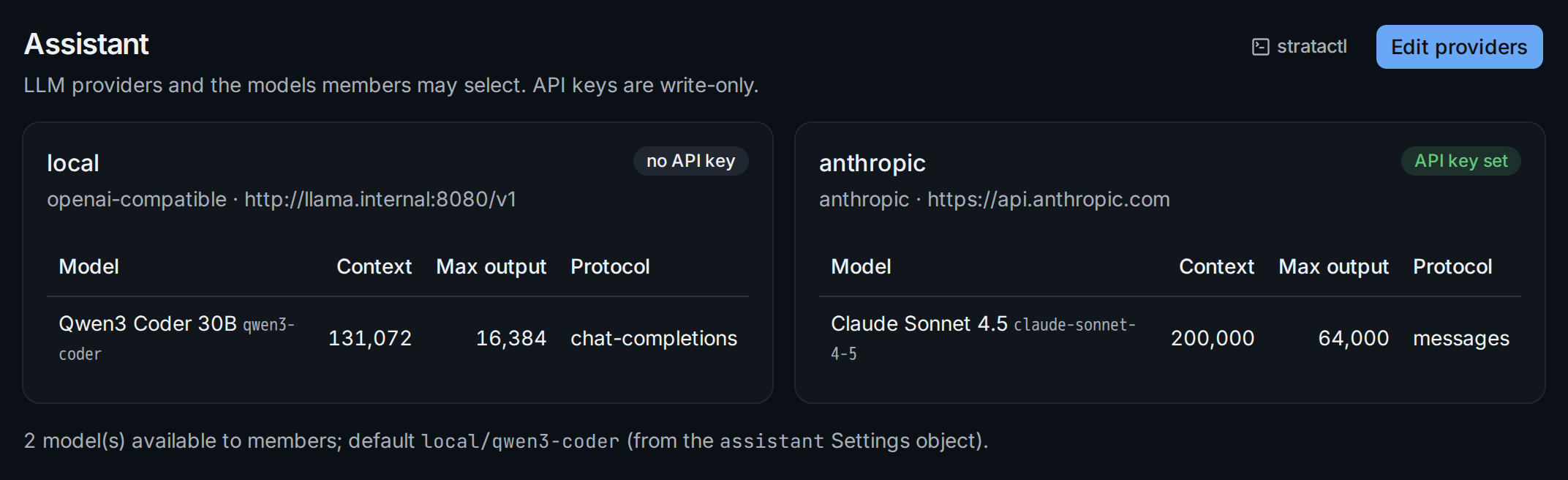
Each provider shows its kind (openai-compatible or anthropic), its base URL and its models with context window, maximum output and protocol. The badge ① says whether an API key is stored; the key itself is never shown, not even to admins. A local OpenAI-compatible server such as llama-server or vLLM needs no key, which suits air-gapped installations.
The line below the providers ② counts the models members can select and
names the default model, which comes from the assistant Settings object
in the spec (Settings): changing the
default is a change set, not an admin setting.
2. Edit the provider list
Edit providers turns the cards into a form for the whole list:
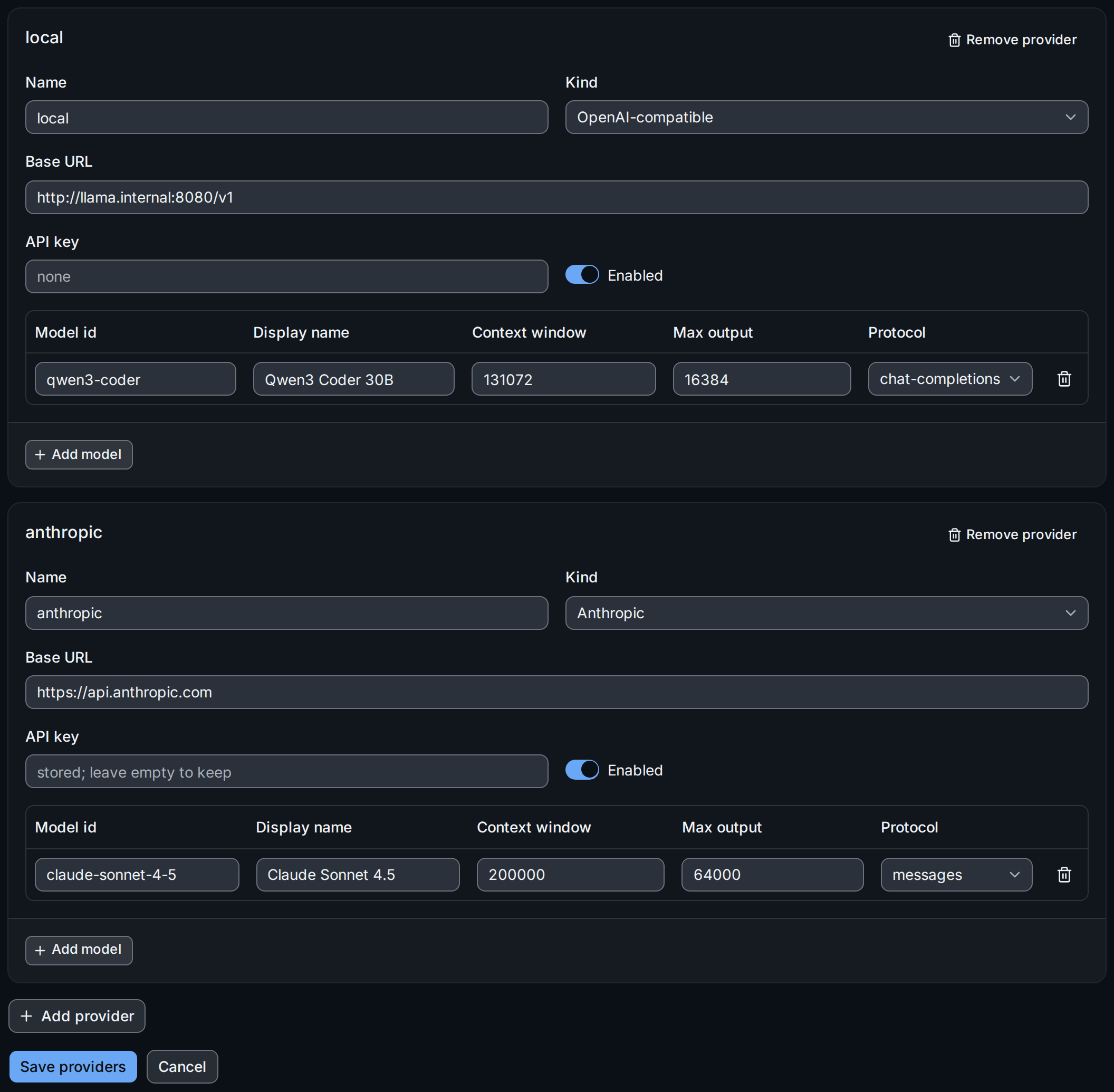
- Name, Kind and Base URL identify the provider. The base URL must be reachable from the server and outside its denied networks (egress).
- API key ① is write-only: a stored key shows stored; leave empty to keep. Type a new key only to replace it.
- Enabled takes a provider out of the selection without deleting it.
- Models: the model id the provider expects, the name members see, the context window and maximum output tokens, and the Protocol (auto, chat-completions, responses, messages). Add model ② adds a row; the bin removes one.
- Add provider and Remove provider change the list itself.
Save providers ③ replaces the whole list at once; saving an empty list turns the assistant off. If another admin saved in the meantime, the save is refused and you reload before trying again.
With stratactl, assistant providers get prints the list and
assistant providers set FILE replaces it
(Administration).
The assistant's chats count against the tenant's chat storage limit (Tenant limits).